Front-End UI / UX
FE0–FE11 plus FE23–FE24 and FE31–FE32 are lock plates / UX flow charts. FE12–FE21, FE25–FE26, and FE33–FE44 are illustrated stills in the same visor chrome as OV12–OV24.
Lock plate. Painted fire Shiv — tf_shiv_logo_fire.png.
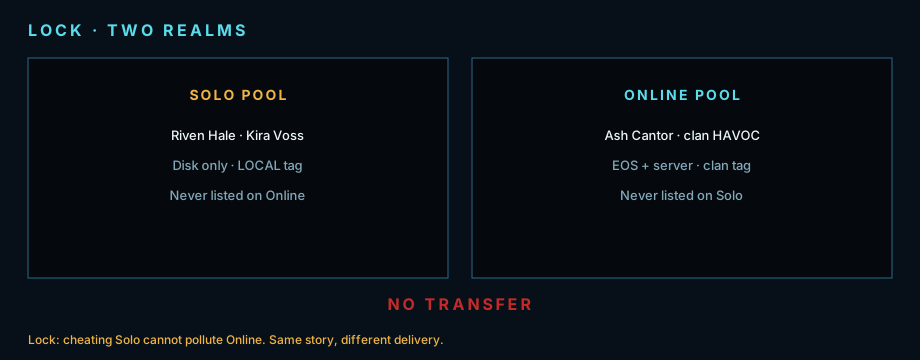
Lock plate. Two realms.
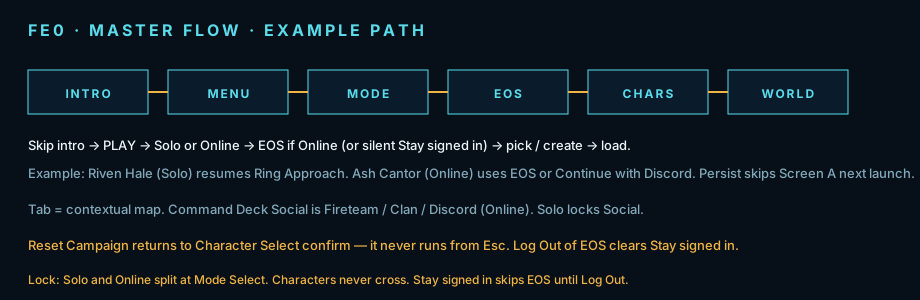
Figure FE0. Happy path. Online may skip EOS if Stay signed in.
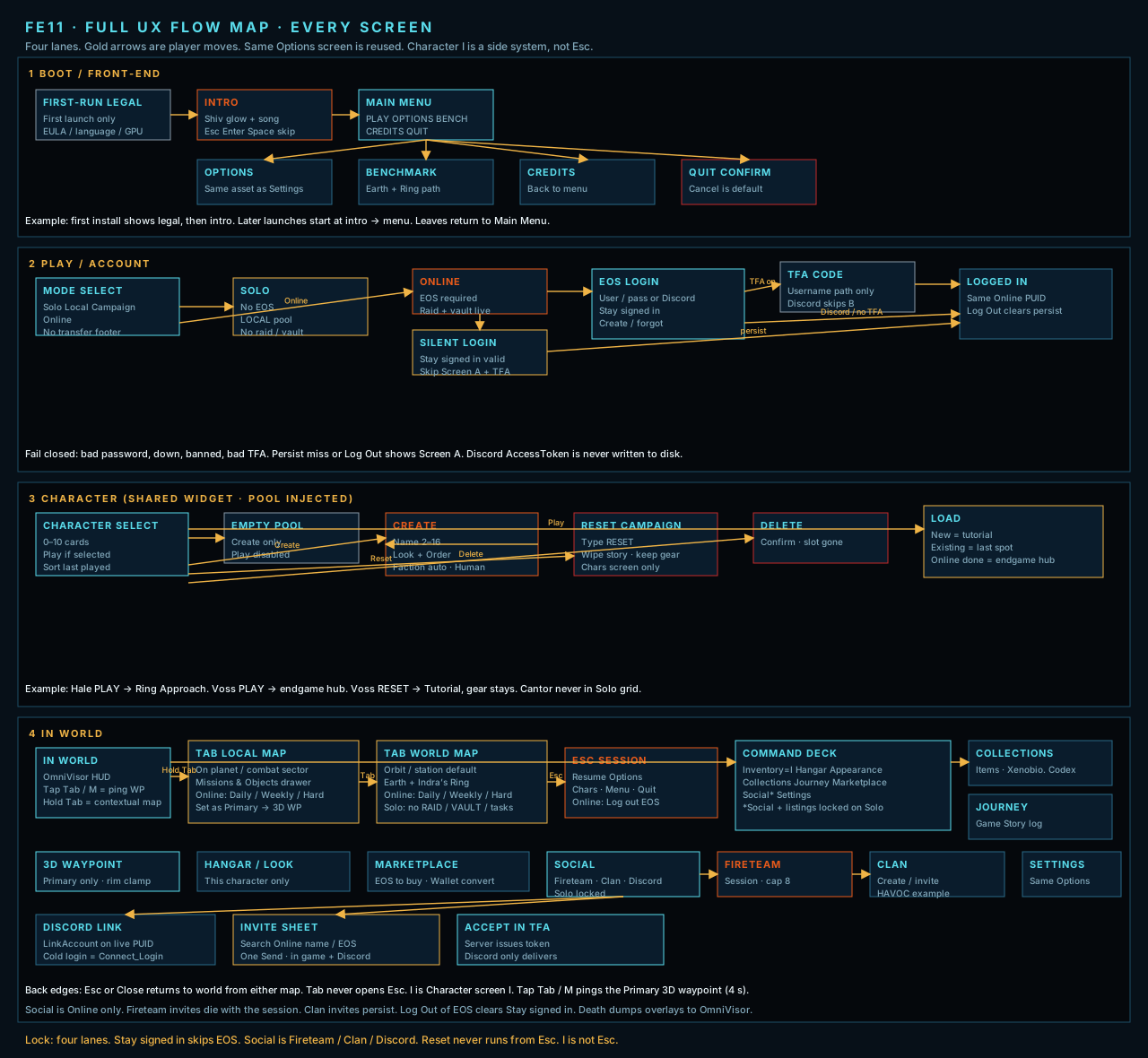
Figure FE11. Full UX flow map — four lanes.
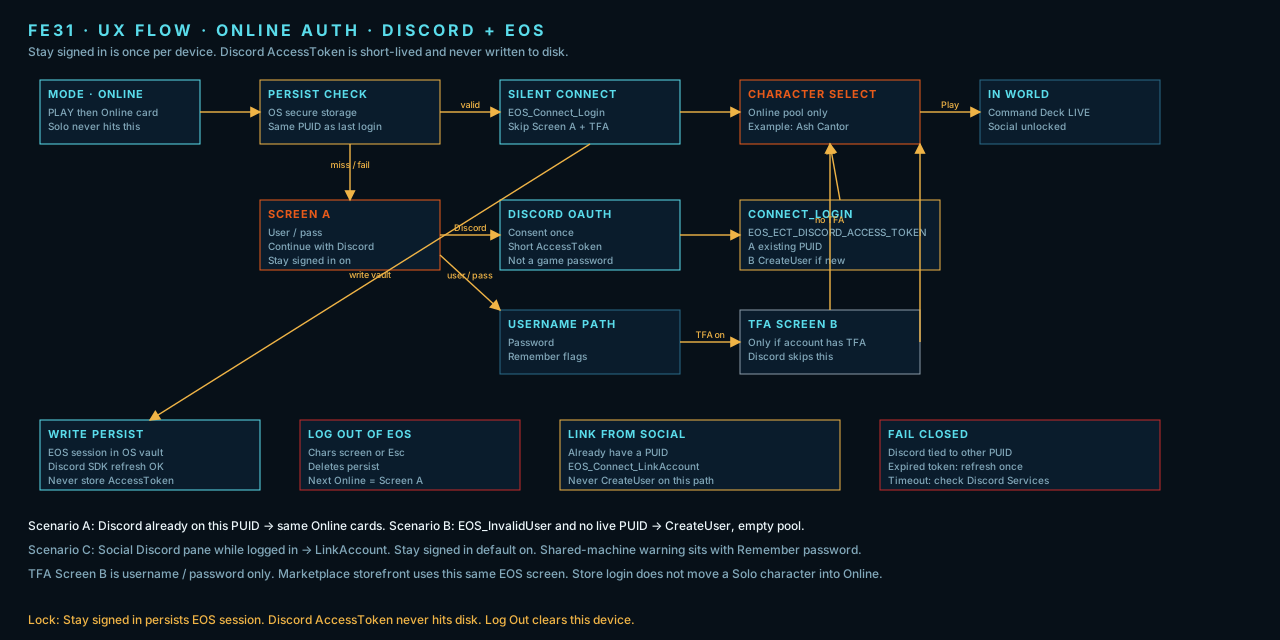
Figure FE31. Online auth — persist, Discord Connect, TFA, Log Out.
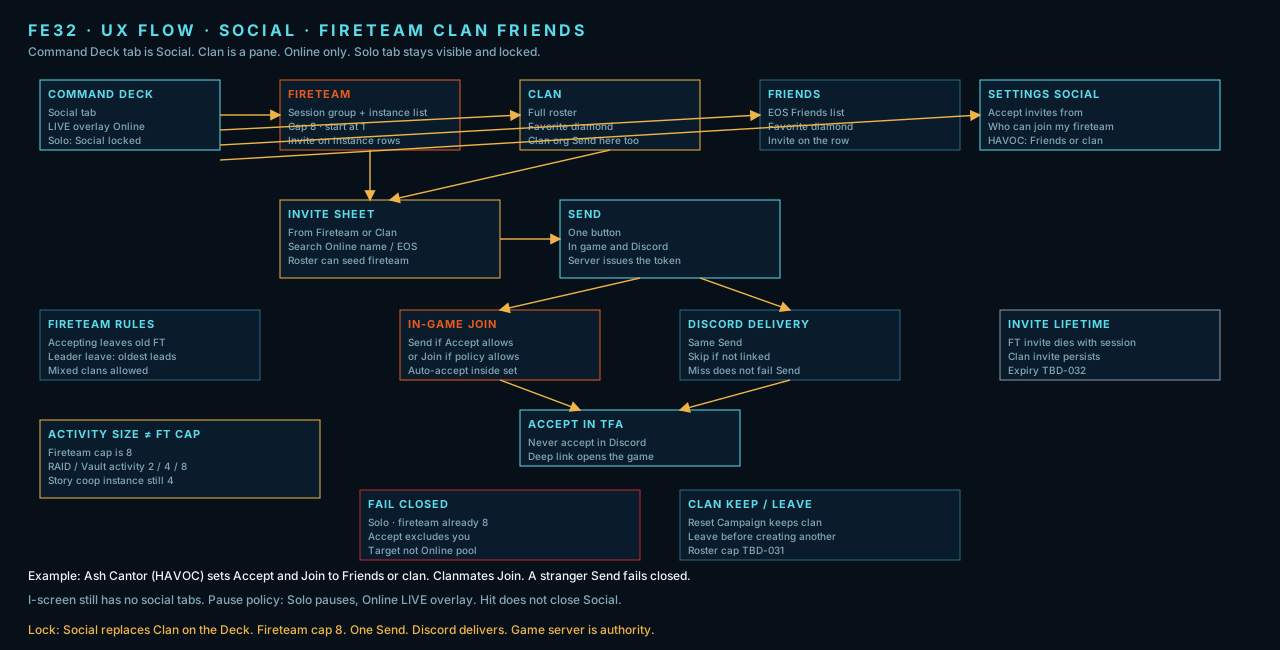
Figure FE32. Social — Fireteam 8, Clan, Discord, invite sheet.
Intro and main menu
Section titled “Intro and main menu”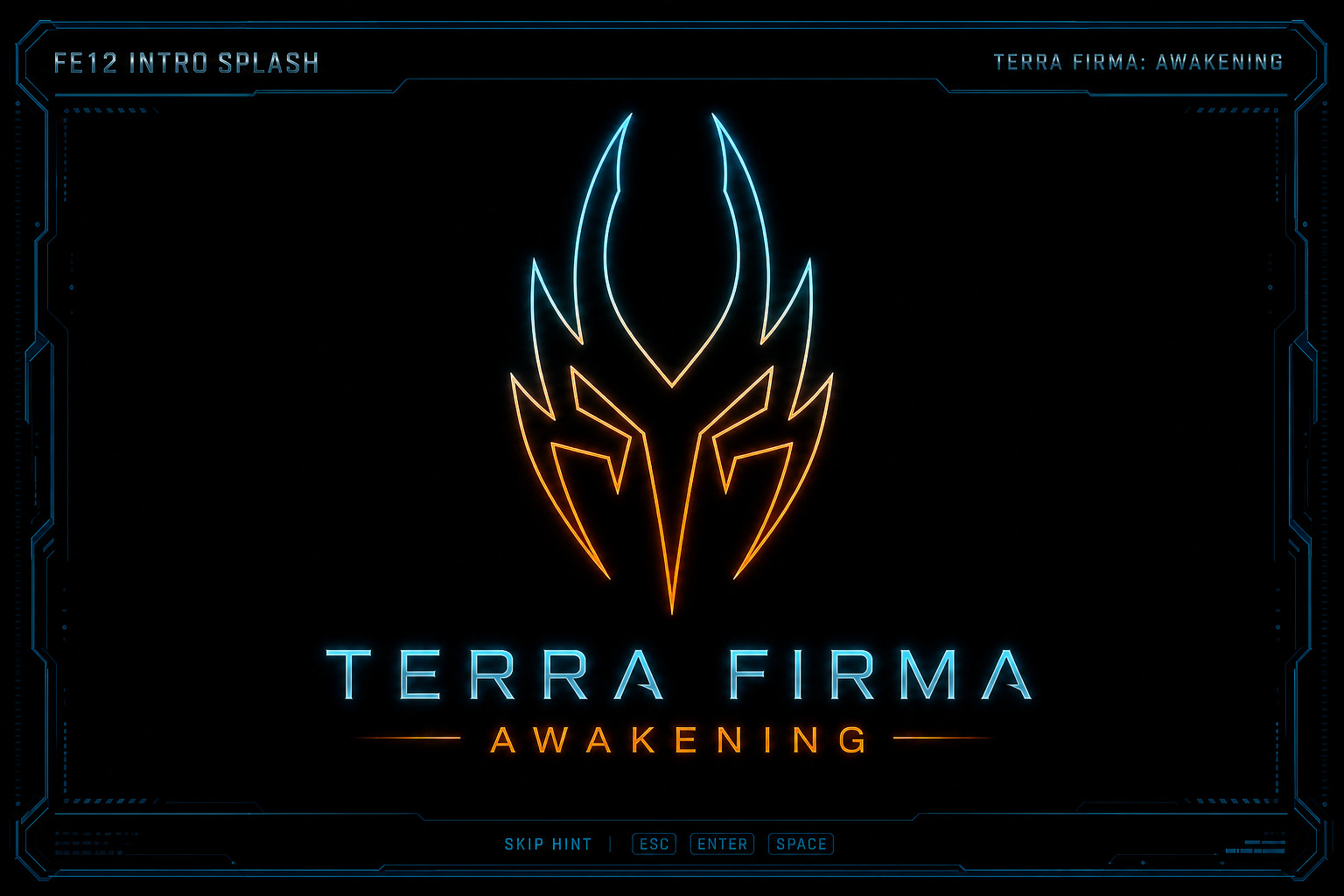
Figure FE12. Illustrated intro still.
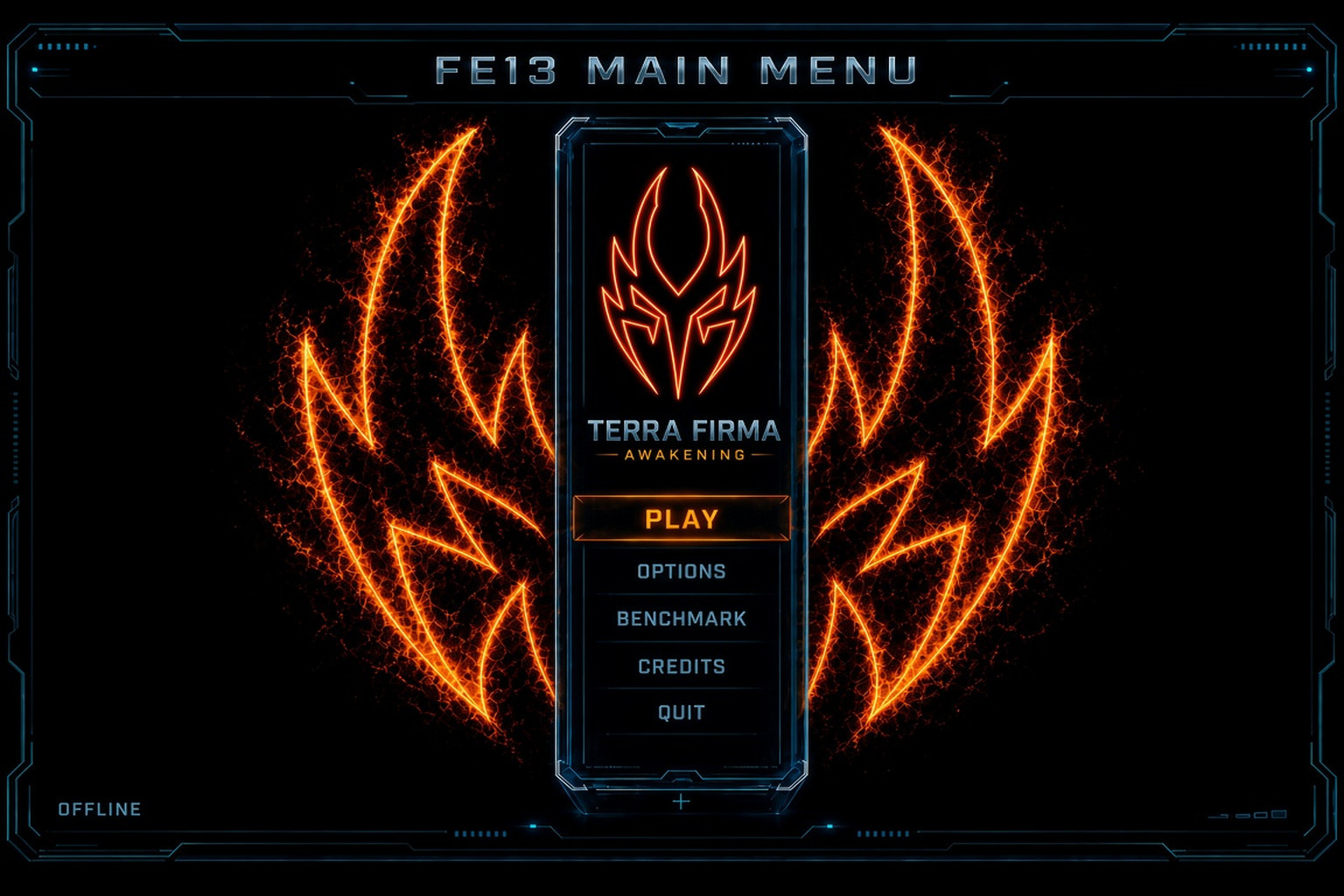
Figure FE13. Illustrated main menu still.
Mode select and EOS
Section titled “Mode select and EOS”Online uses EOS as the PUID. Cold login is username / password on Screen A (optional 2-FA Screen B). Discord is an external credential on that PUID — not a second game account and not a Screen A button. After login, Command Deck → Social → Discord runs EOS_Connect_LinkAccount (EOS_ECT_DISCORD_ACCESS_TOKEN). Never CreateUser on that path. Stay signed in persists the EOS session on this device, never the Discord AccessToken. Default on. Log out of EOS on Online Character Select and Esc clears persist and Discord consent (shared-device / next player). Social Discord may Unlink for invite delivery only — Unlink is not an account switch. Lab only: 2-FA (Lab: Purpose to show UX) forces Screen B; real client detects 2-FA from EOS.
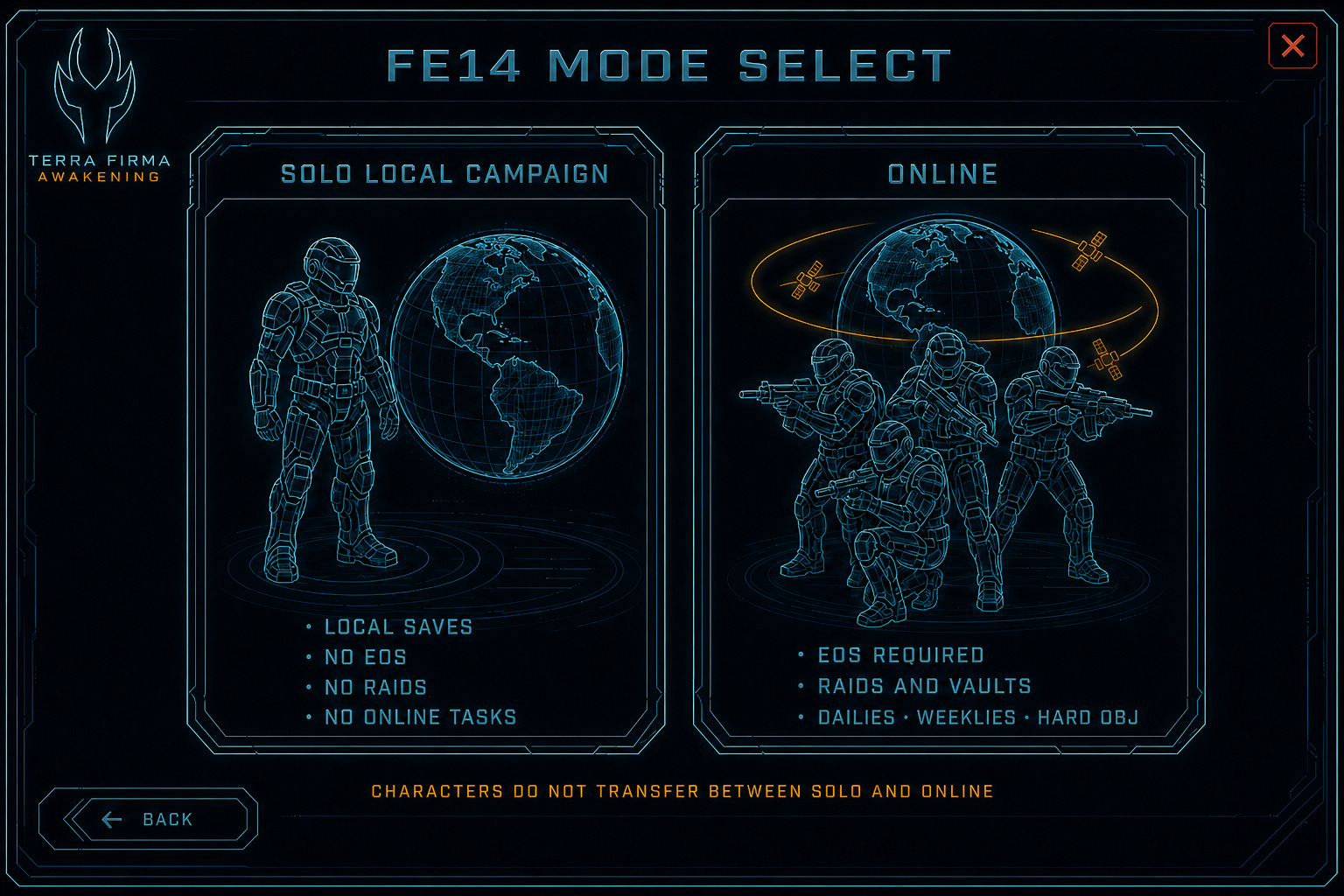
Figure FE14. Illustrated still — Solo has no Online tasks. Online has dailies / weeklies / hard objectives.
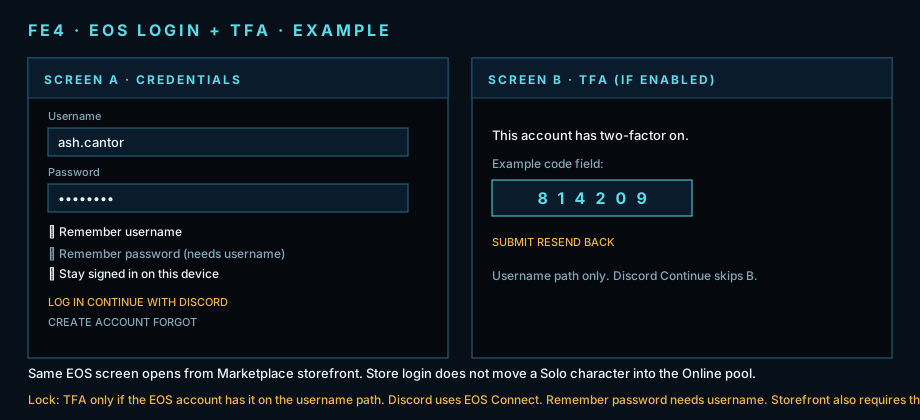
Figure FE4. EOS lock plate — username / password + Stay signed in. Discord Link is Social after login (legacy art may still show Discord on A).
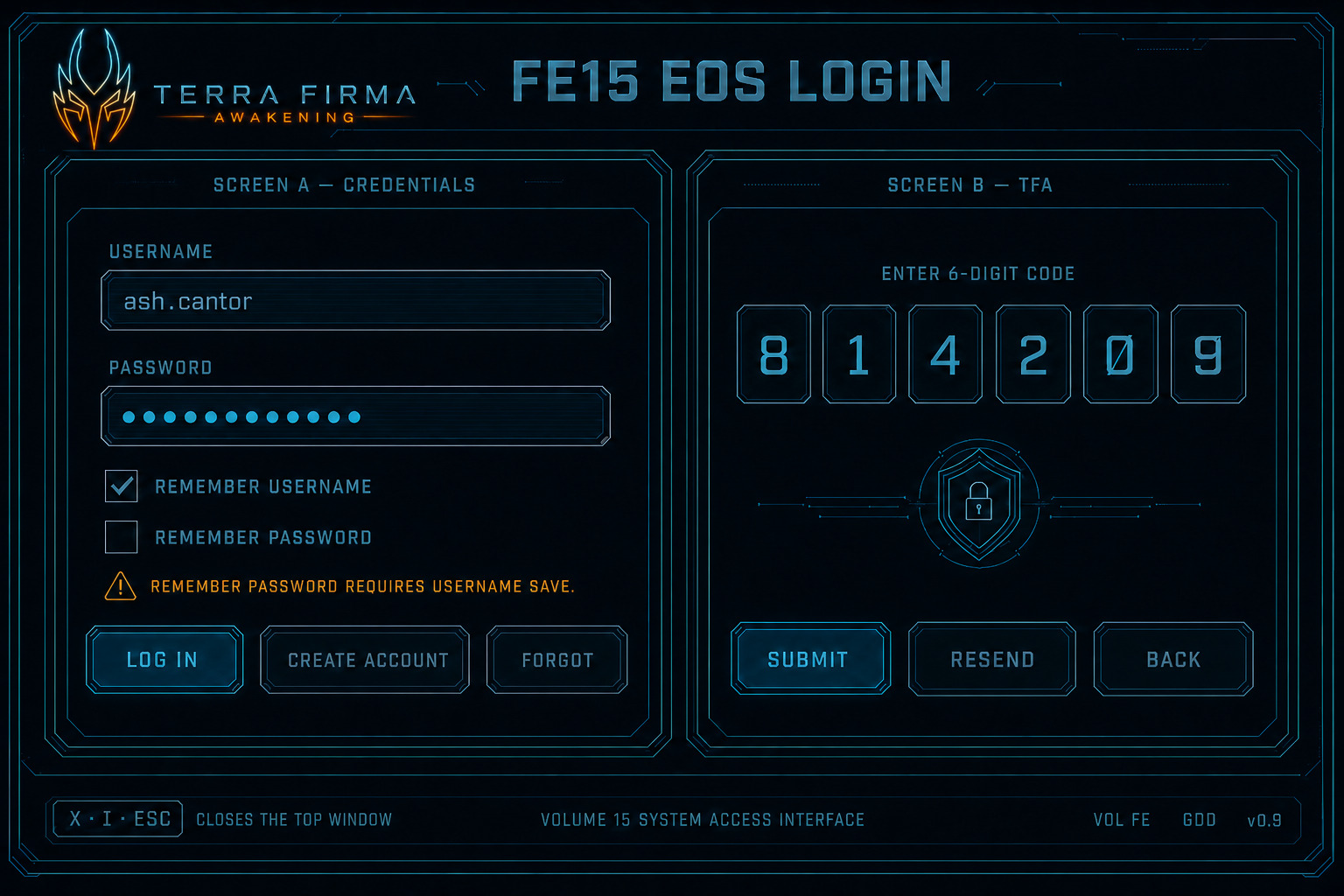
Figure FE15. Illustrated EOS + TFA still.
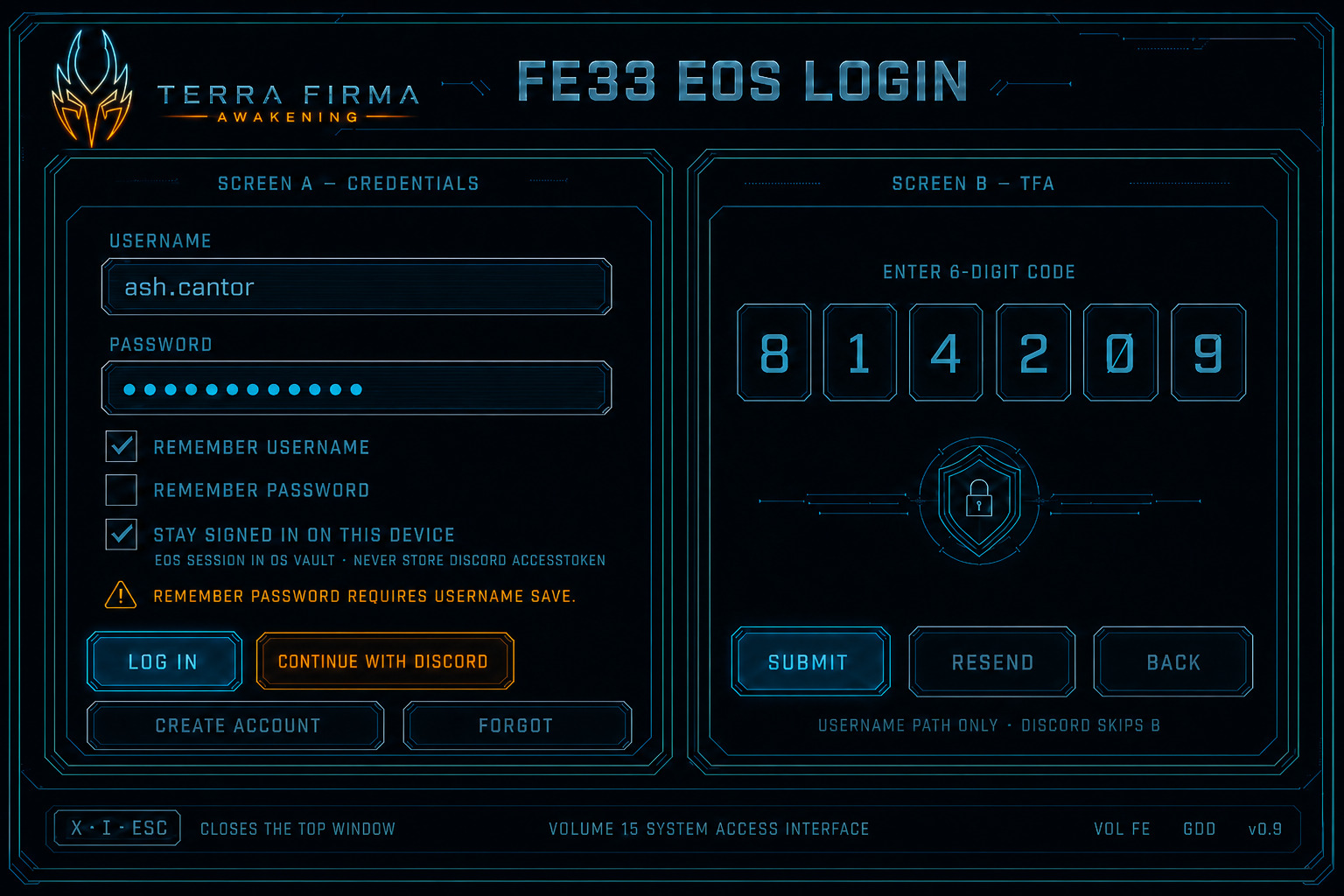
Figure FE33. Illustrated still — Stay signed in. Legacy Discord-on-A art; product Link is Social after login. 2-FA is username path only.
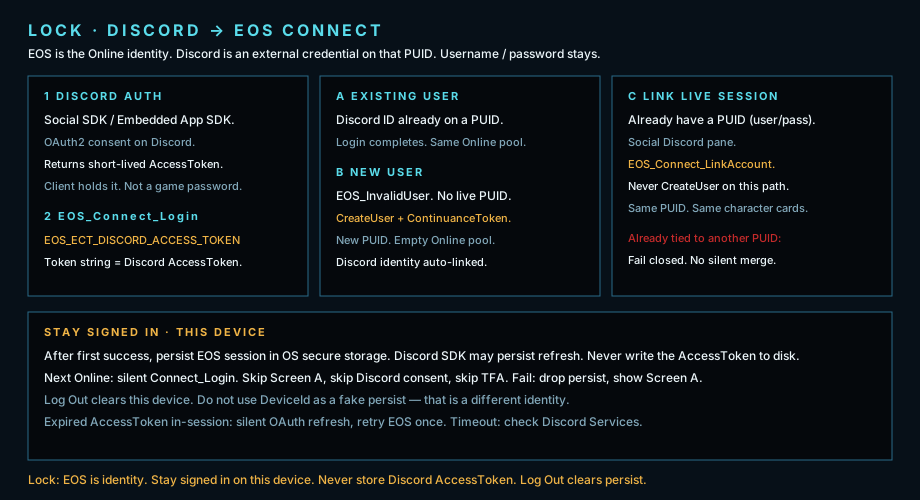
Lock plate. Discord AccessToken → EOS Connect. Stay signed in on this device. Never store the AccessToken.
Character select and create
Section titled “Character select and create”Appearance (Full game): premade MetaHuman faces, grooms, limited facial feature dials, hair color, skin color, face/body tattoos. Sex is Male or Female only — no body-size dials. Armor plates attach at a_socket_*; underarmor + flare stay fixed scale. Mesh names encode corp (c1–c5) and kit/hand (FS-MESH-001). Mutable + MetaHuman assembly is Full game only (FS-APP-001; Programming Bible ch. 27). Demo does not ship Mutable.
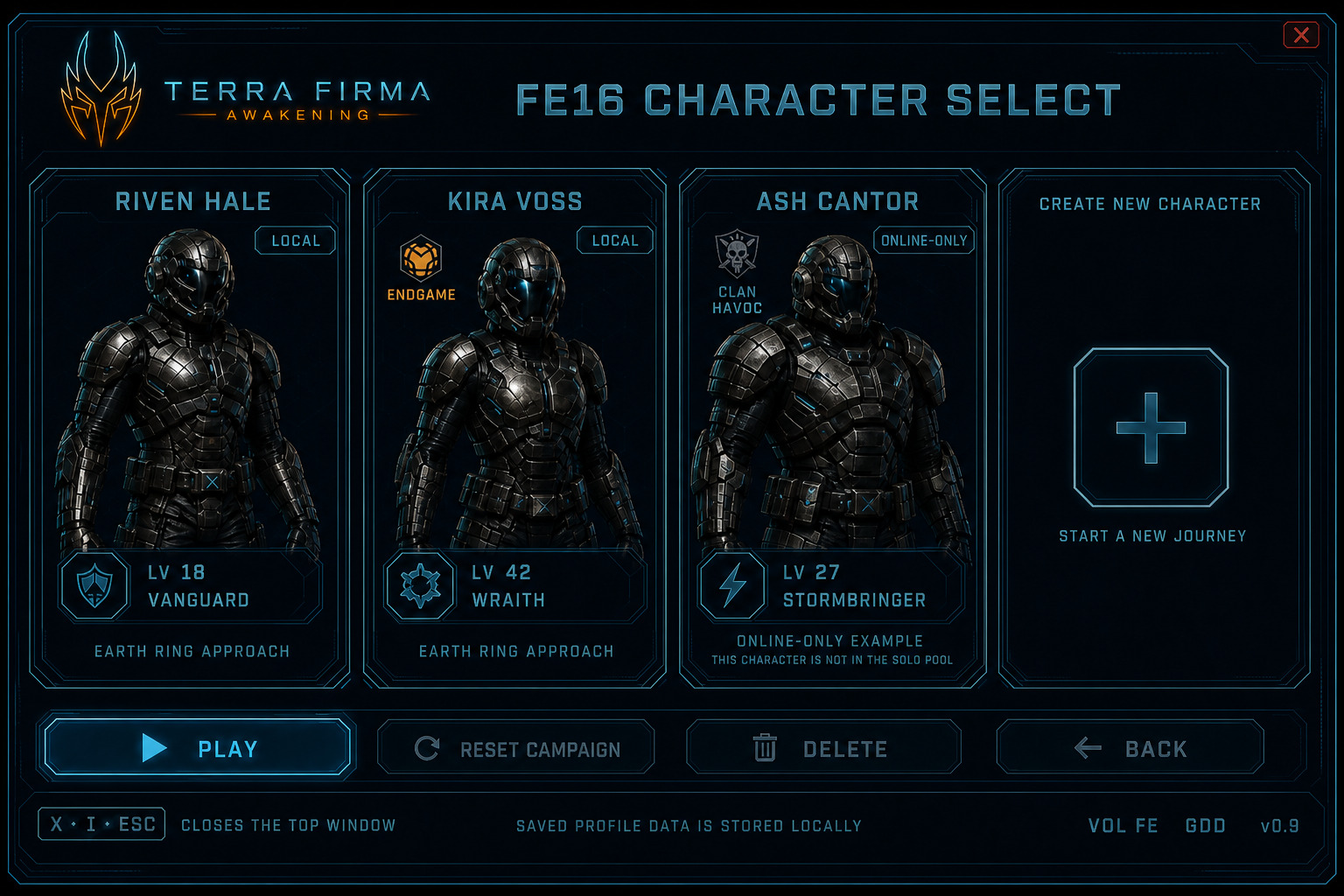
Figure FE16. Illustrated character select still.
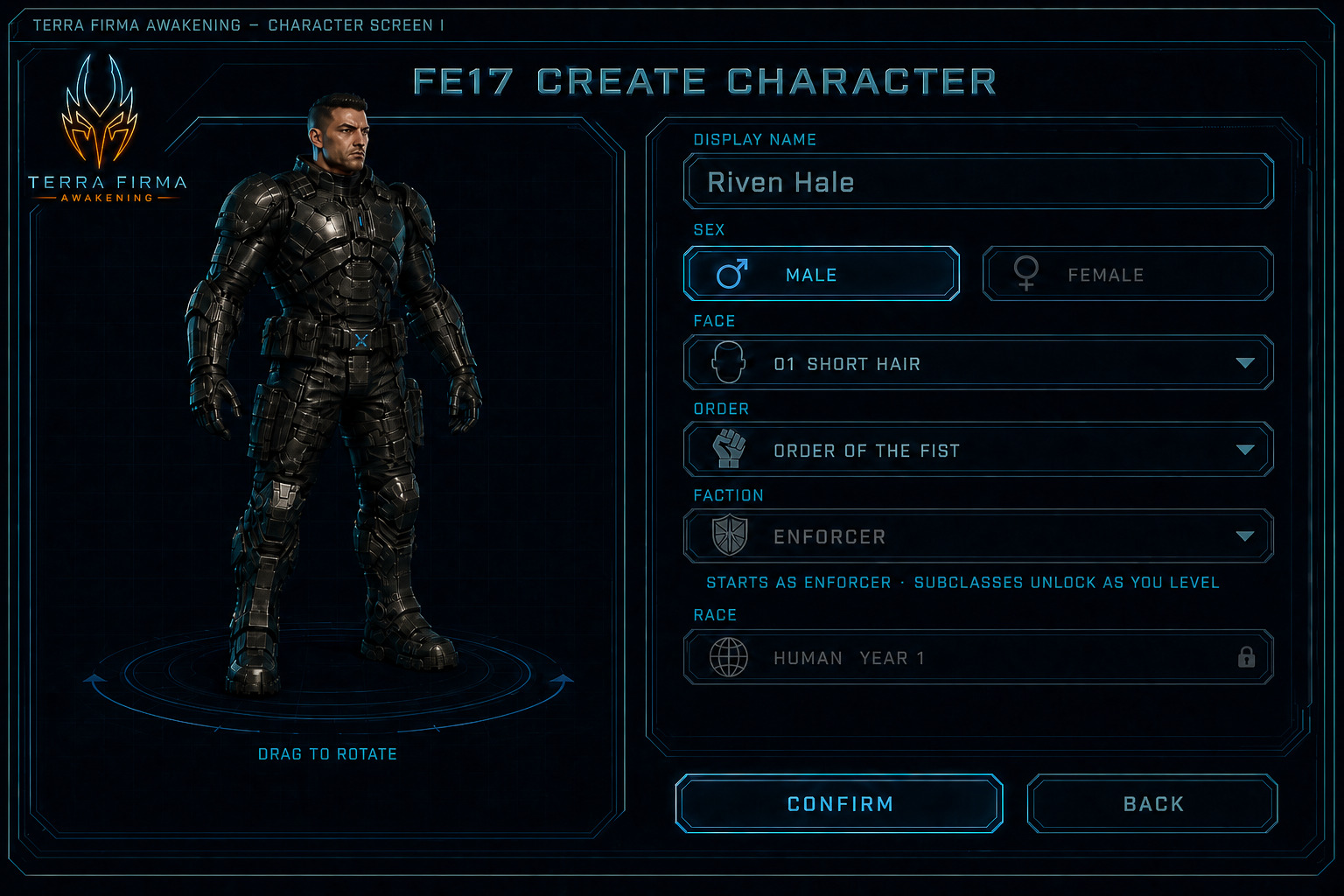
Figure FE17. Illustrated create still — Order / Faction. Starts as the main class. Subclasses unlock as you level.
Reset Campaign
Section titled “Reset Campaign”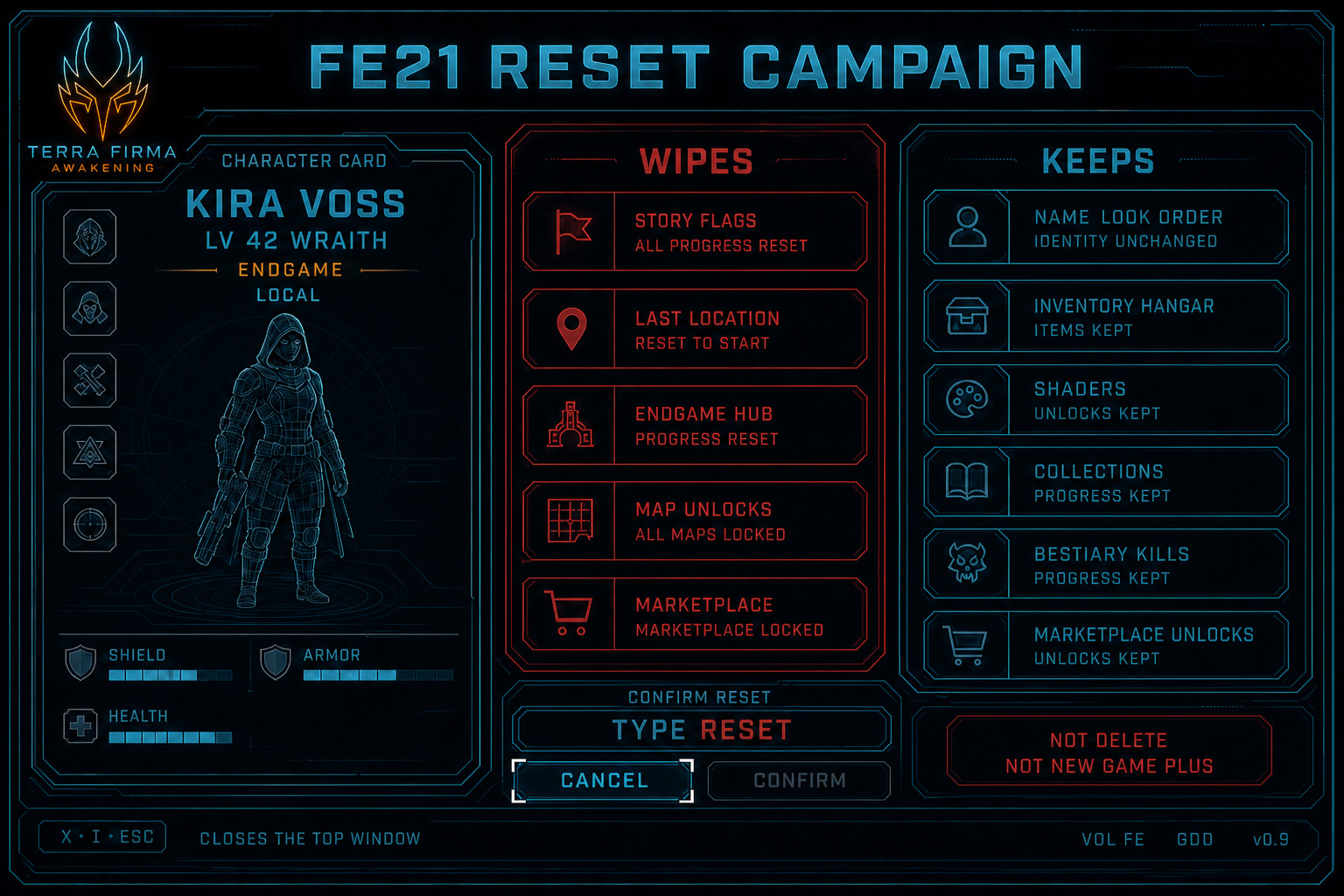
Figure FE21. Illustrated reset still — Kira Voss.
Command Deck and Esc
Section titled “Command Deck and Esc”Top bar: Inventory, Hangar, Appearance, Collections, Journey, Marketplace, Social, Settings. Staff-flagged Online accounts also see Trust (report queue + ghost spectate) — see Online Trust & Safety. Players report from Social / chat, or from a Match Results row during RAID / Vault / Ladder (same W_TFA_Report sheet). While that activity is live, Command Deck and Esc show a Results chip — same W_TFA_MatchResults overlay as match-end recap. Full lock: Online Match Results. Social panes: Fireteam (cap 8, start as 1, instance list with Invite), Clan (full roster, favorite diamond, clan org Send), Friends (EOS list, favorite, Invite), Discord (Link Discord → OAuth consent → AccessToken → LinkAccount → linked profile / Unlink). Fireteam privacy lives on Settings → Social: Accept invites from, and who can join. Example HAVOC: Friends or clan on both — clanmates auto-join; stranger Send fails closed. Invite sheet: one Send. Row Invite is that same Send. Solo: tab visible and locked. RAID / Vault activity size stays 2 / 4 / 8. Story coop still caps at 4. Solo pauses while the Deck is up (Esc title PAUSED). Online cannot pause — overlay only (Esc title LIVE). Hit does not close the Deck. Death dumps to OmniVisor.
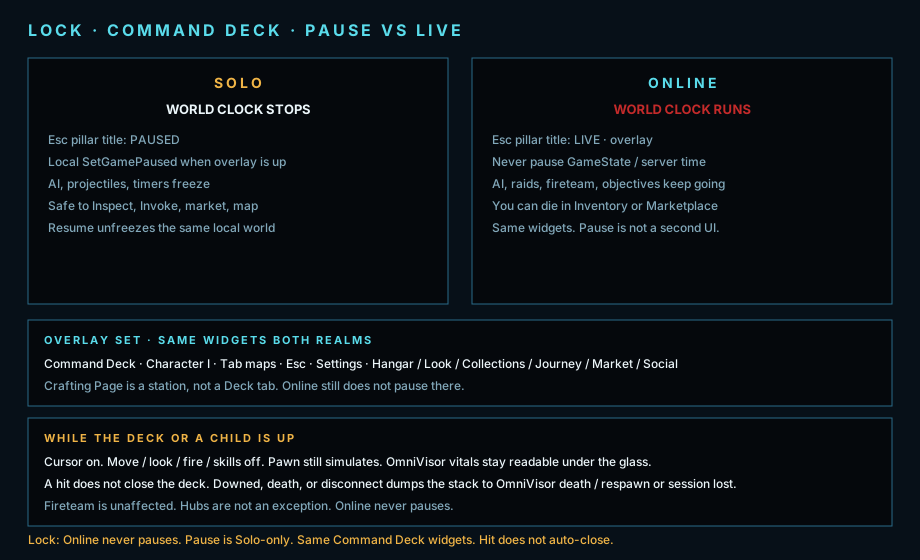
Lock plate. Command Deck pause policy — Solo clock stops. Online clock runs.
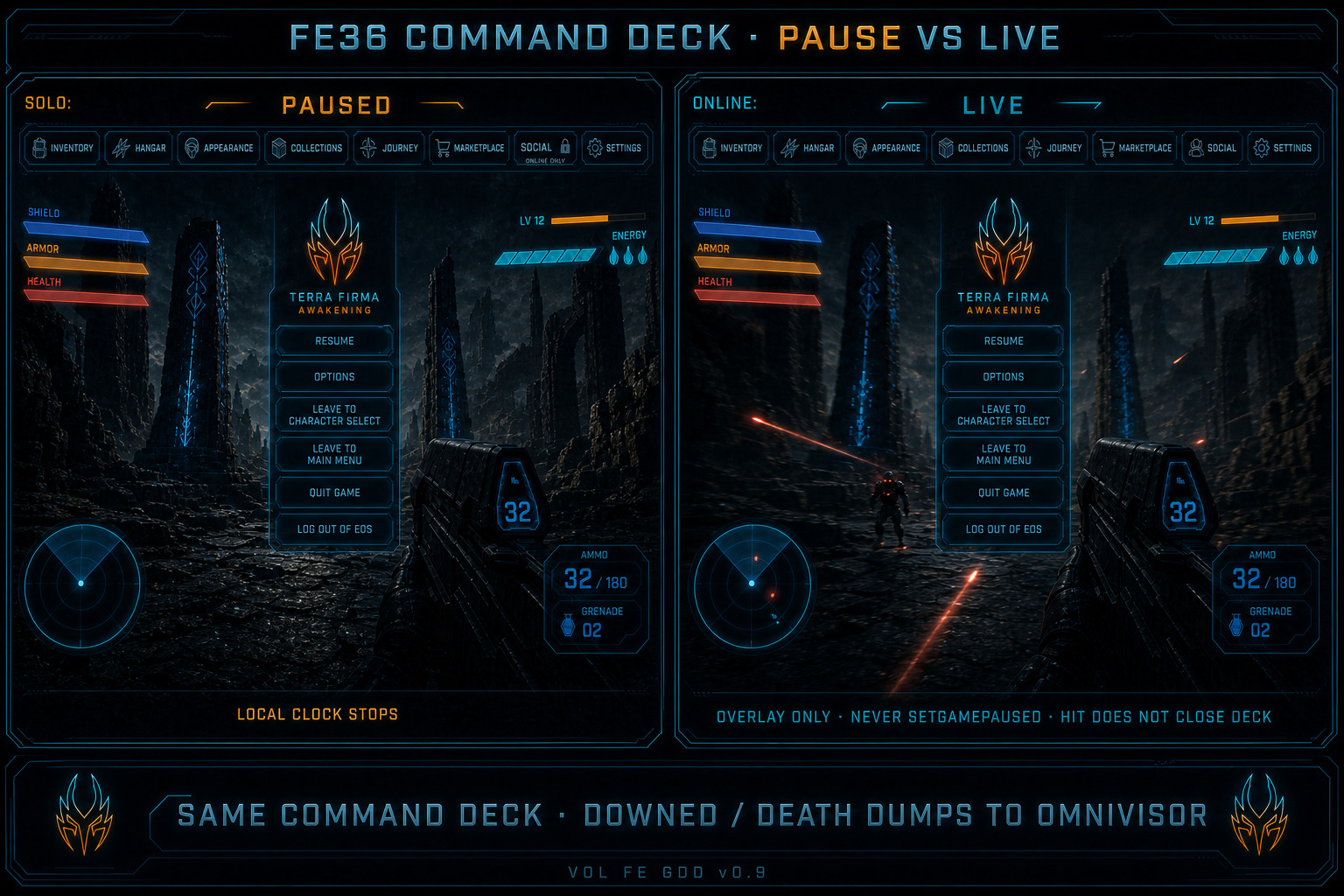
Figure FE36. Illustrated still — Solo PAUSED vs Online LIVE. Same Command Deck.
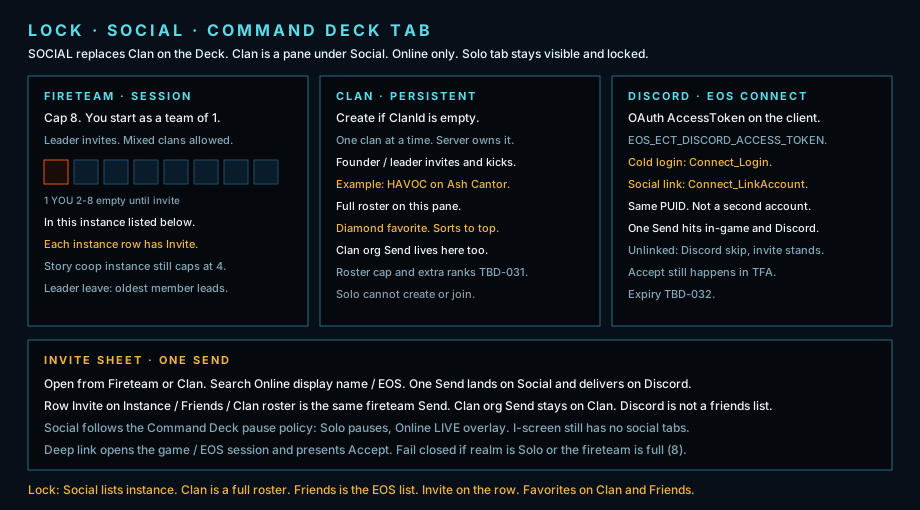
Lock plate. Social replaces Clan on the Deck. Fireteam cap 8. Instance list. Clan roster. One Send lands in-game and on Discord.
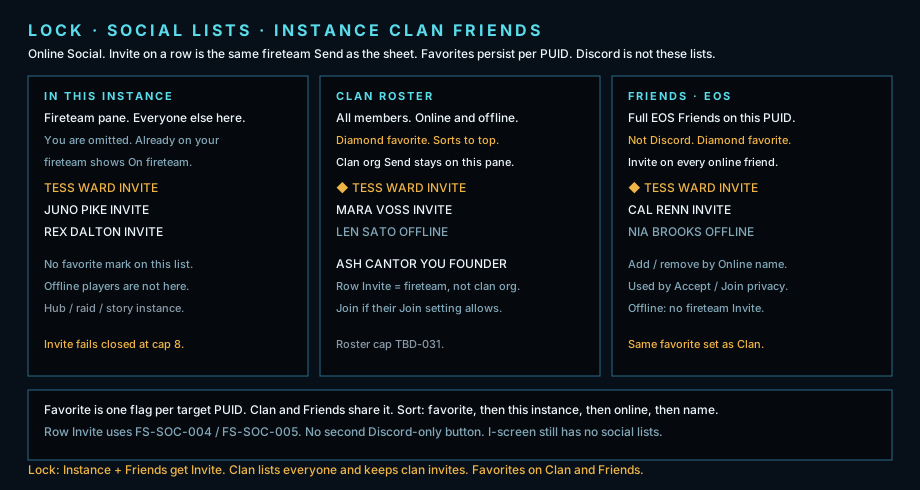
Lock plate. Instance Invite. Clan full roster + favorite. Friends list + Invite.
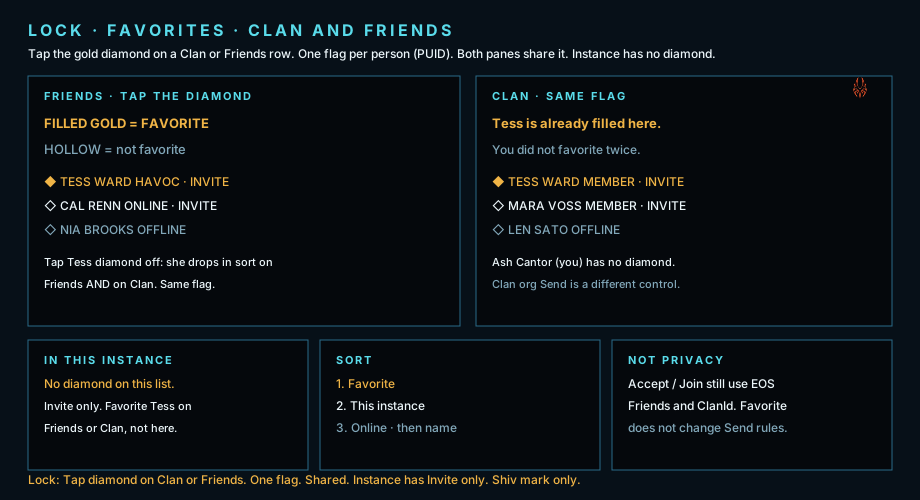
Lock plate. Tap the diamond. One flag per PUID. Clan and Friends share it. No diamond on In this instance.
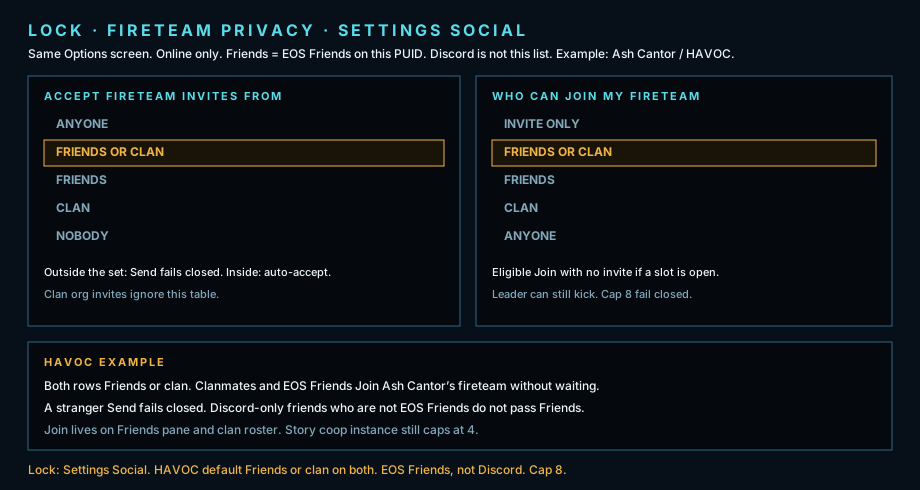
Lock plate. Settings → Social. Accept / Join. HAVOC Friends or clan.
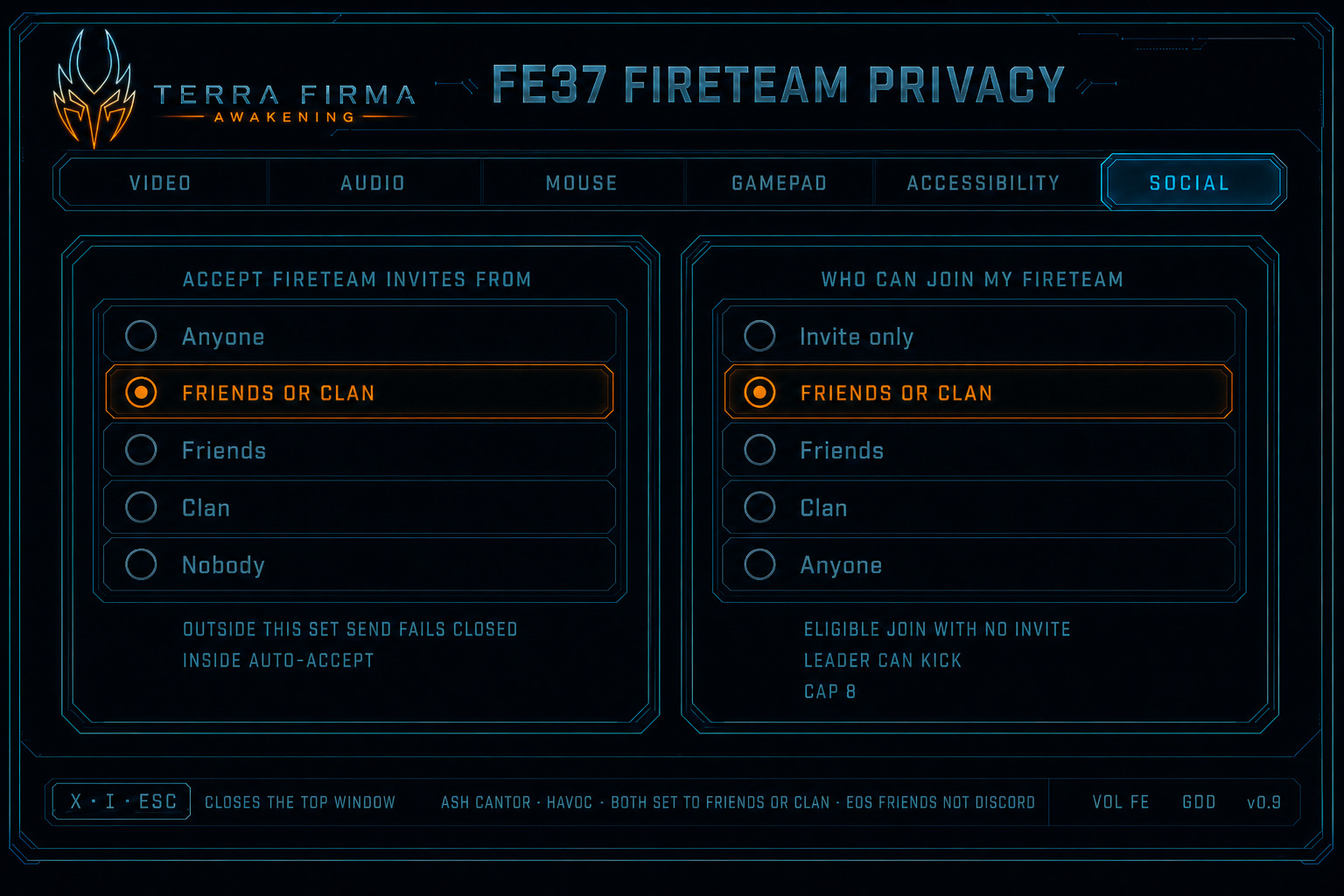
Figure FE37. Illustrated still — fireteam privacy on Settings Social.
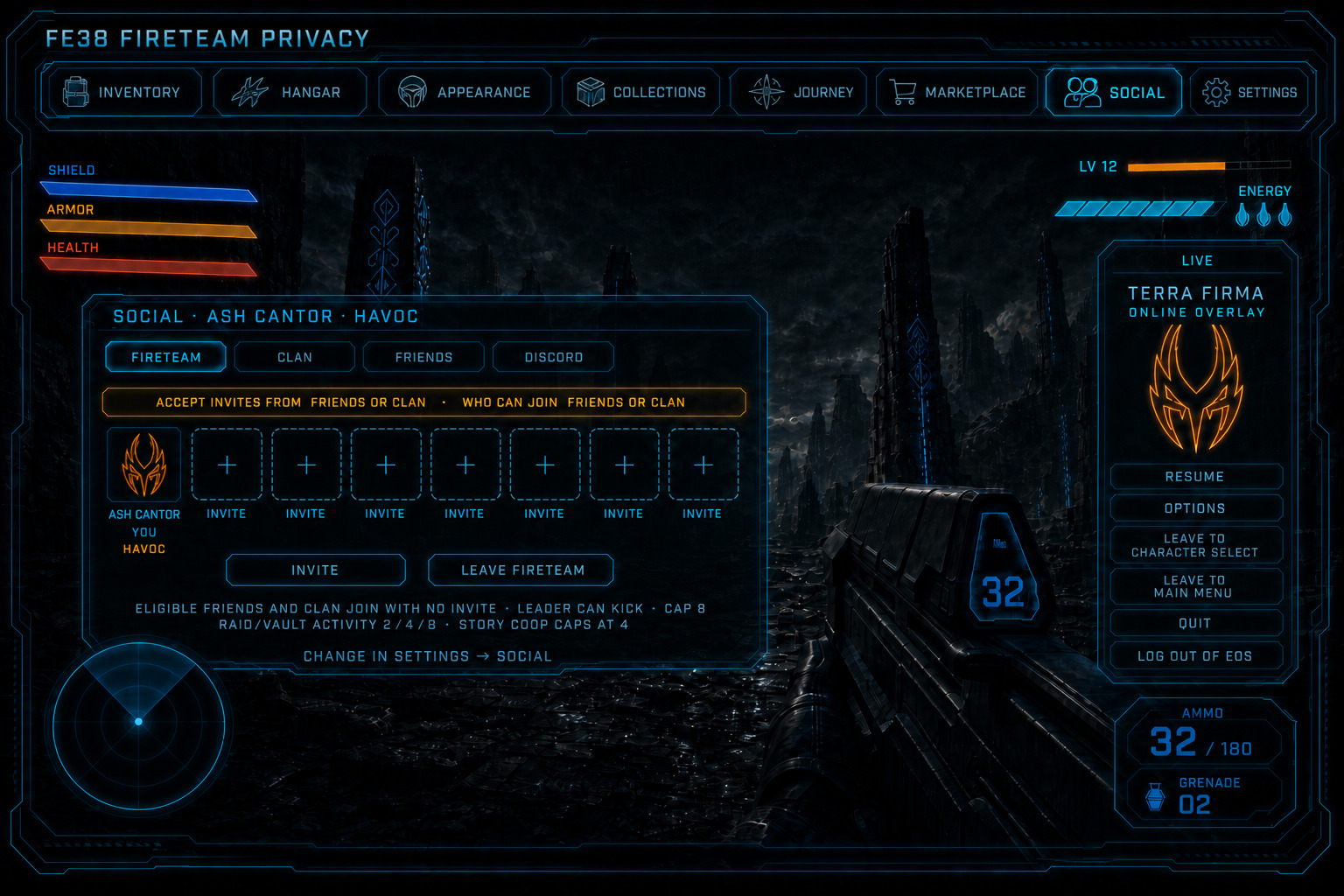
Figure FE38. Illustrated still — Fireteam pane. Friends or clan can Join with no invite.
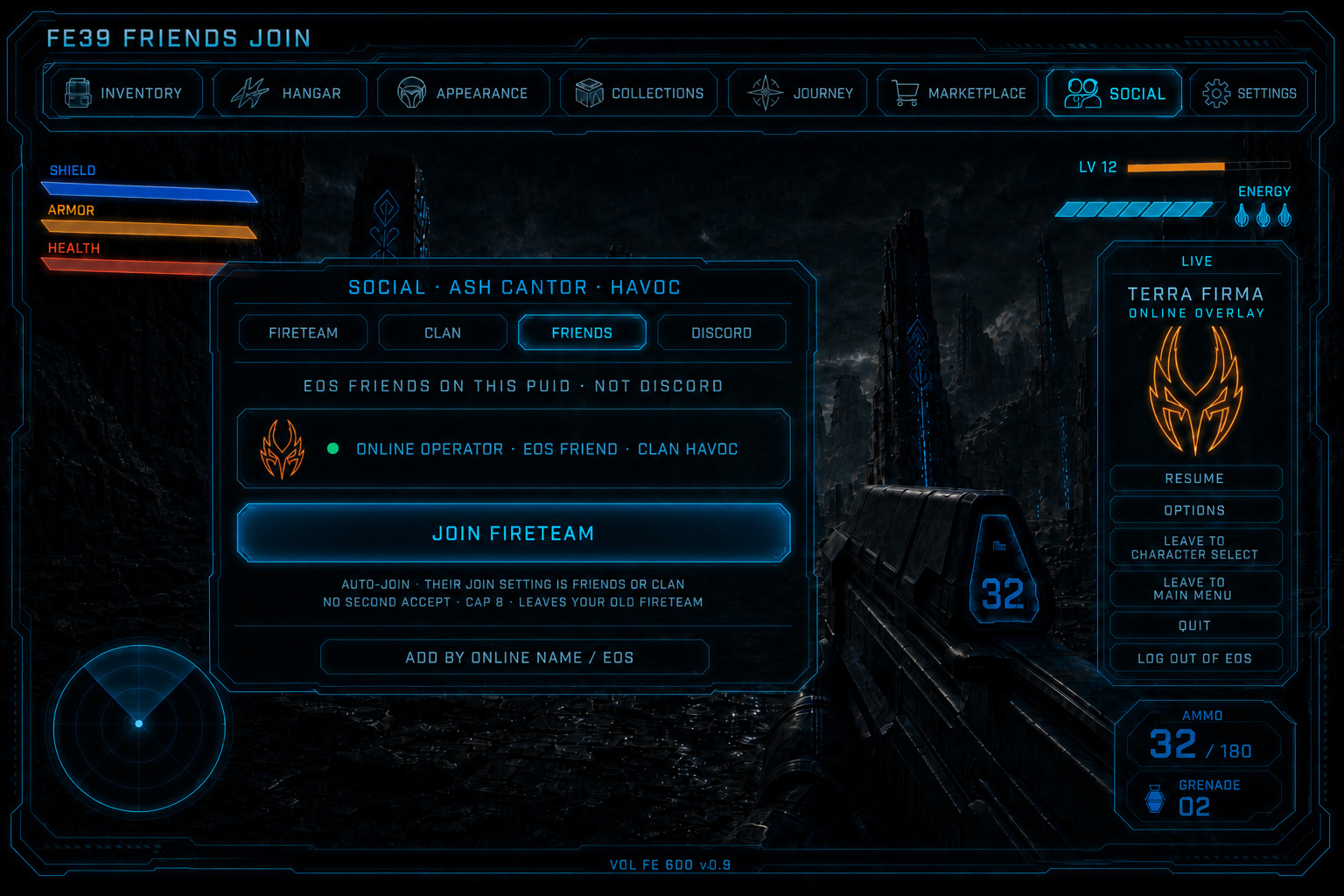
Figure FE39. Illustrated still — Friends pane. EOS Friends. Join auto-joins.
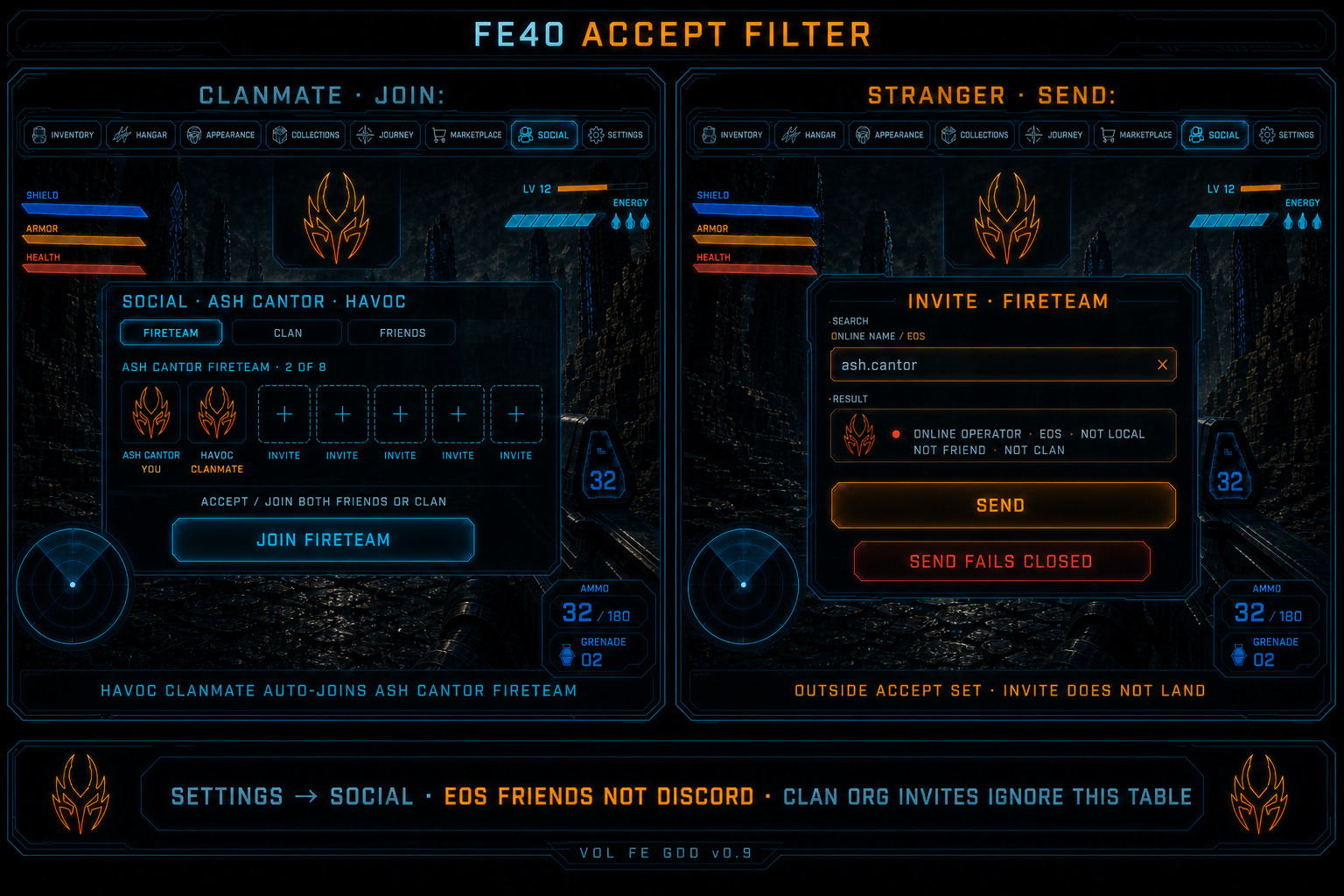
Figure FE40. Illustrated still — clanmate Join vs stranger Send fails closed.
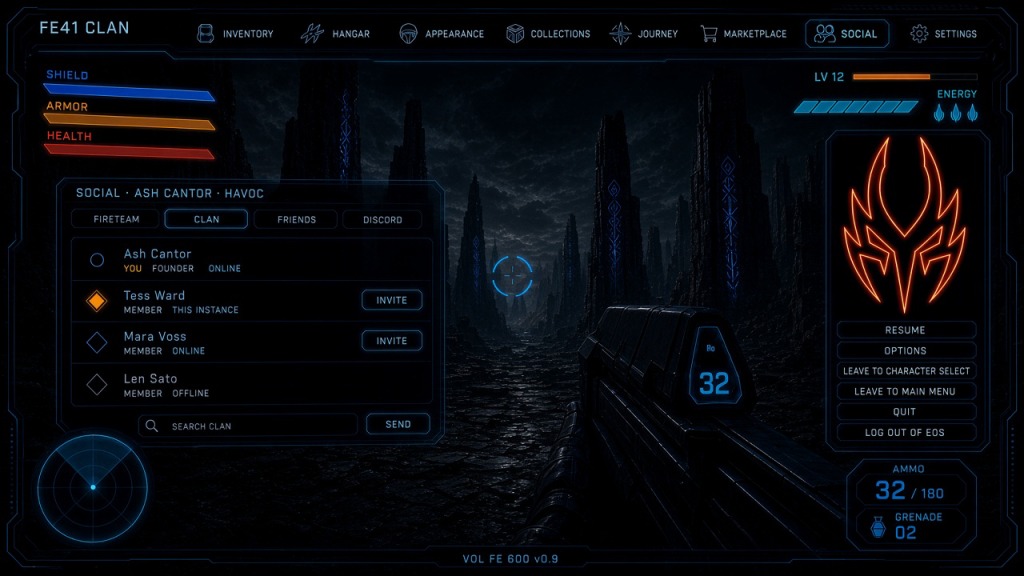
Figure FE41. Illustrated still — HAVOC full roster. Diamond favorite. Clan org Send. Row Invite is fireteam.
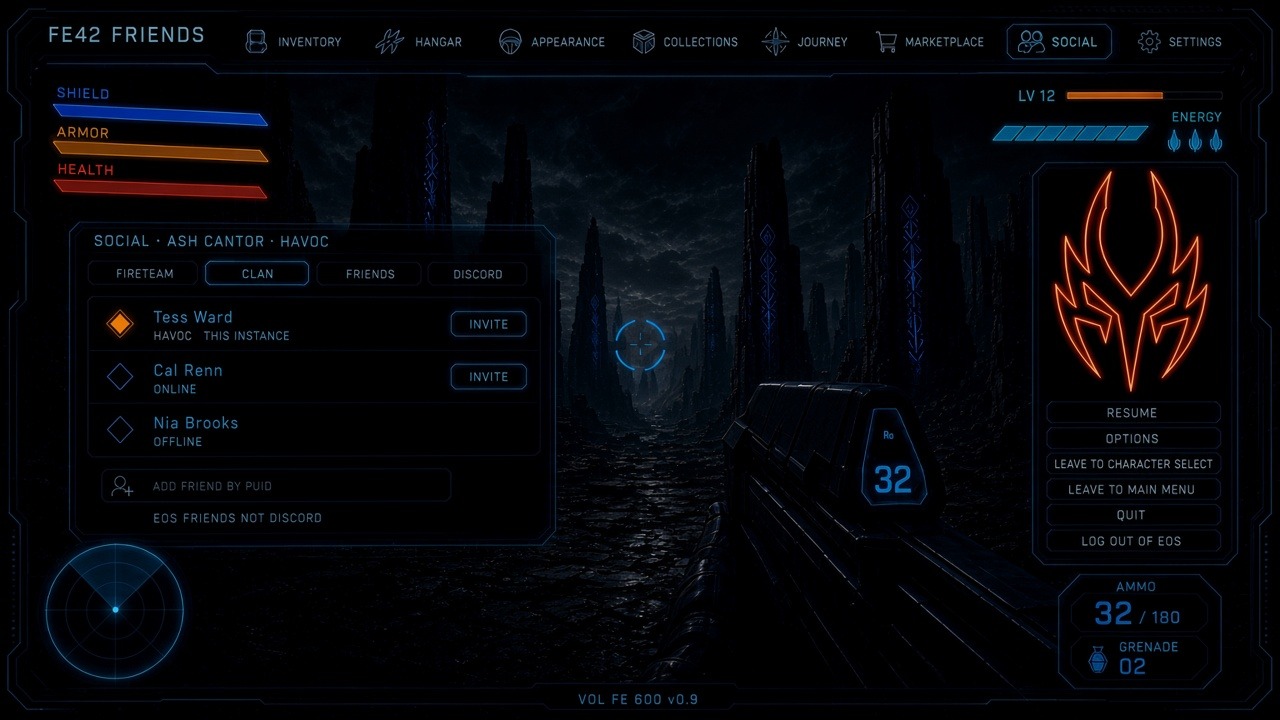
Figure FE42. Illustrated still — EOS Friends. Diamond favorite. Invite on online friends.
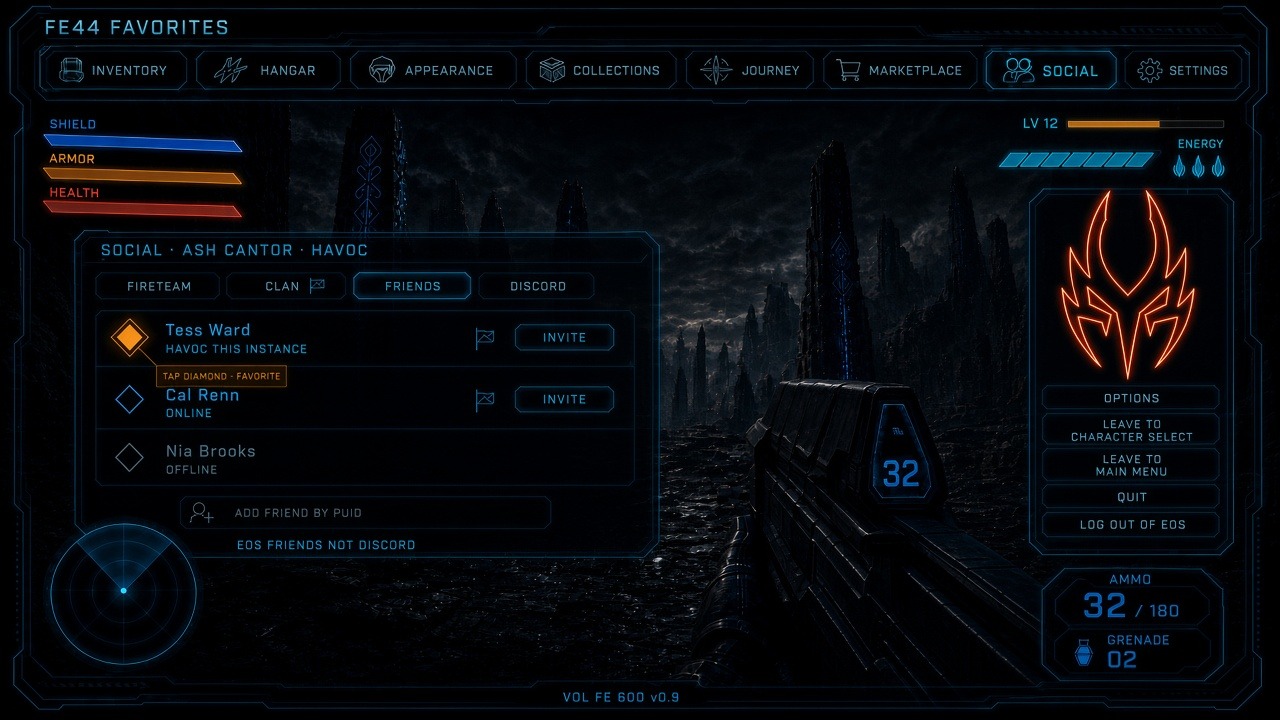
Figure FE44. Illustrated still — tap the diamond on Friends. Filled gold is favorite. Same flag on Clan.
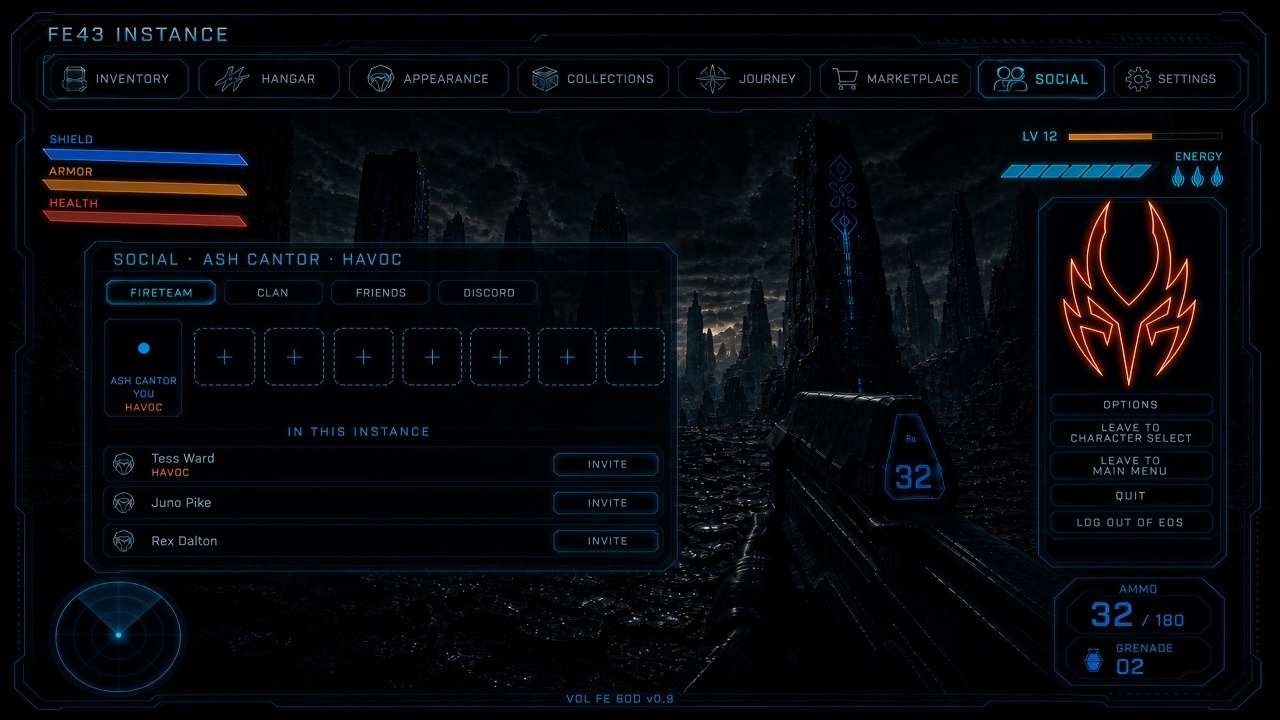
Figure FE43. Illustrated still — In this instance. Invite on each row. No favorite diamond.
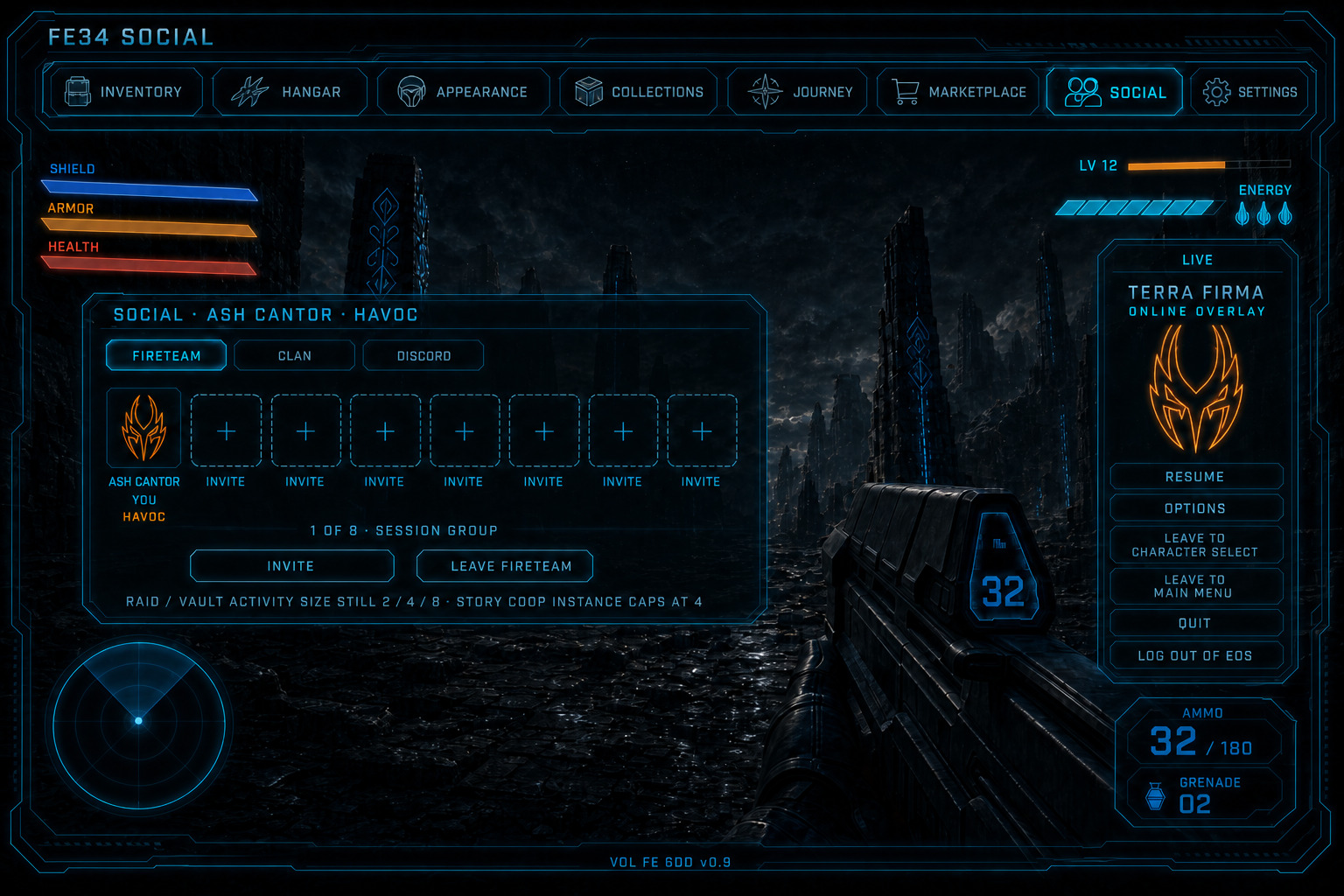
Figure FE34. Illustrated still — Social tab, Fireteam 1 of 8, Ash Cantor HAVOC, LIVE overlay.
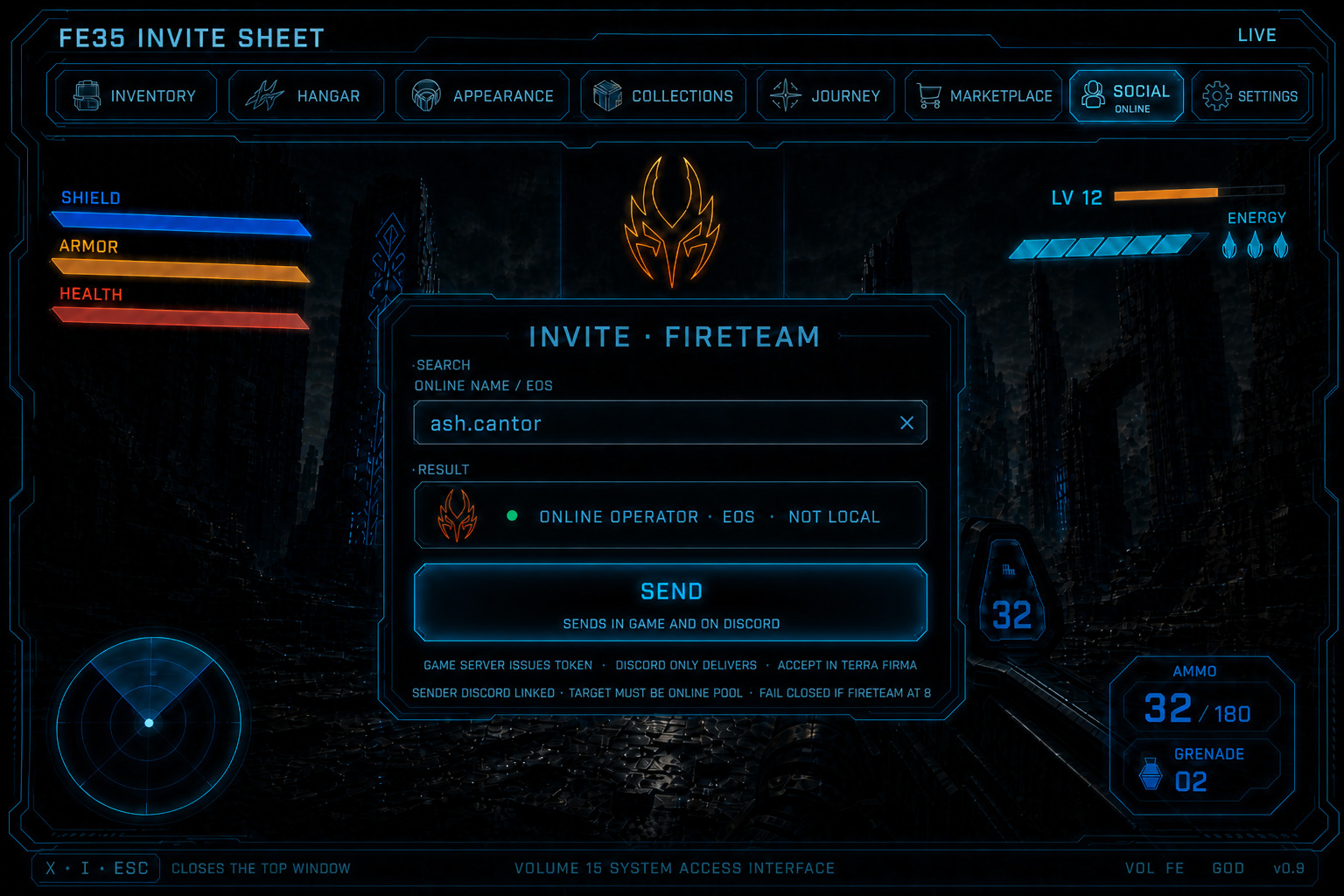
Figure FE35. Illustrated still — one Send. In game and Discord. Online pool only.
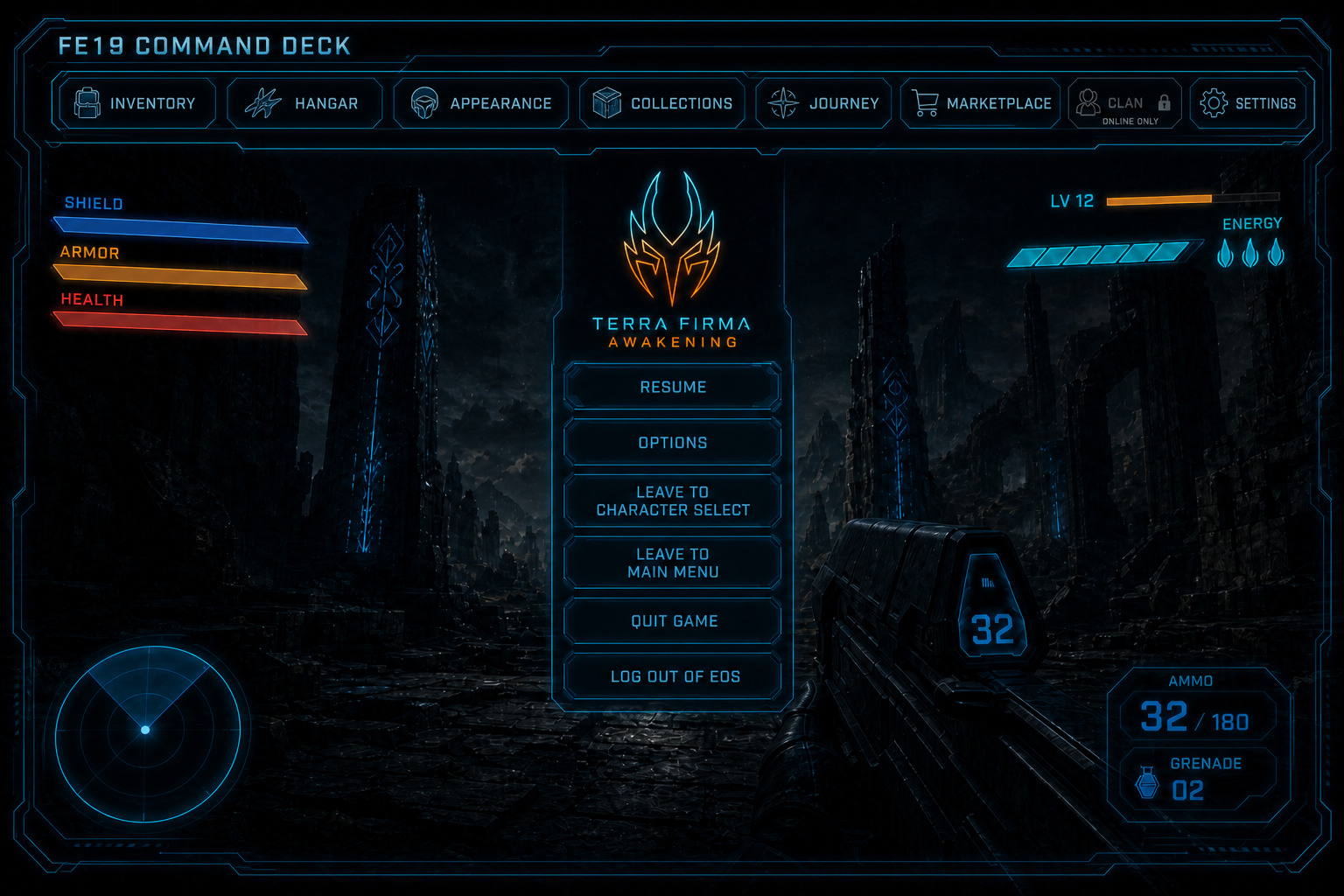
Figure FE19. Illustrated in-world Esc still.
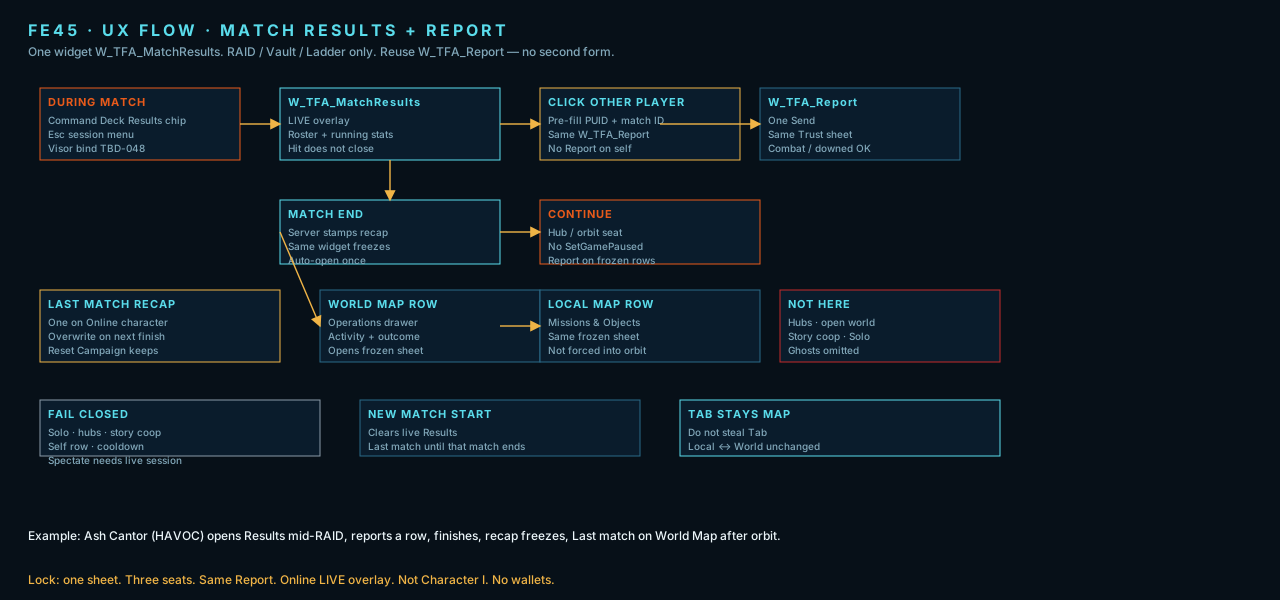
Figure FE45. UX flow — Results during RAID / Vault / Ladder, Report from row, freeze recap, Last match on maps.
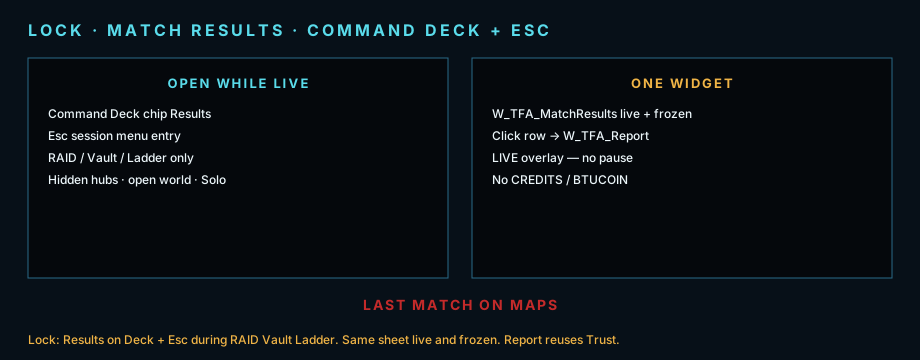
Lock plate. Command Deck Results chip + Esc during competitive activities. One W_TFA_MatchResults widget.
Marketplace
Section titled “Marketplace”Storefront needs EOS to browse and buy. Purchases unlock locally and work on Solo offline. Player listings Online only. Cosmetics and looks only — no power gear. Prices in Credits. Wallet pane converts the player’s 49% crypto share to Credits at max(floor, market). Fiat packs split 50/50. Daily / weekly / hard objectives mint crypto — Online only, tracked on Local Map, World Map, and in the world. Every mint is 51% studio treasury / 49% player.
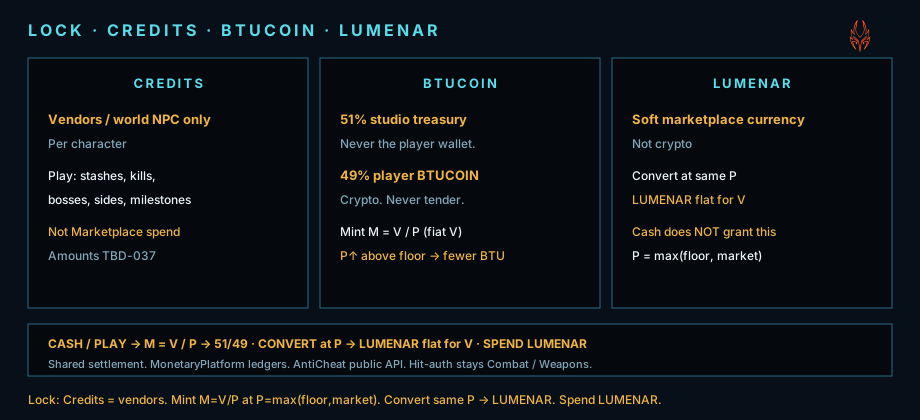
Lock plate. Fiat 50/50. Every crypto mint 51/49 (fiat + Online play). Convert → Credits.
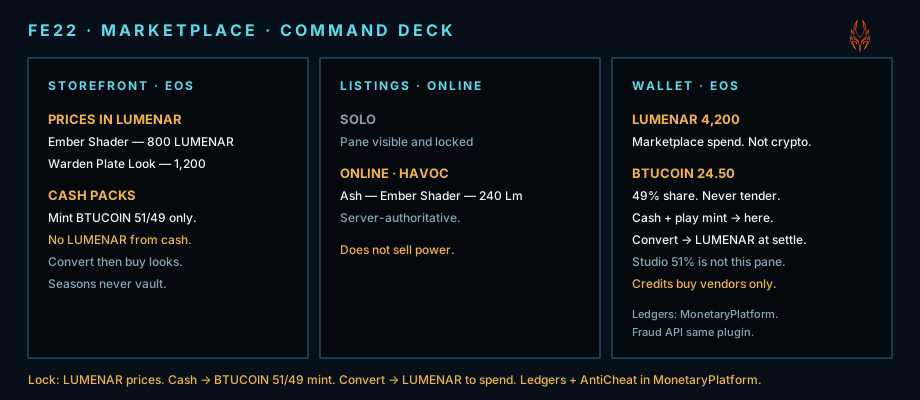
Figure FE22. Marketplace lock plate — Wallet convert. Online tasks mint the 49% share.
Maps, Tab, and GUI locator
Section titled “Maps, Tab, and GUI locator”Hold Tab opens Local Map on planet (World Map in orbit). Tab toggles Local ↔ World. Set as Primary drives the OmniVisor GUI locator. Daily / weekly / hard objectives are Online only and live in Missions & Objects / Operations on every Tab map plus the world — track them like other game objectives. Solo never lists them. Online also keeps one Last match row (activity name + outcome) above Operations on World Map and above Operations on Local Map Missions & Objects — frozen RAID / Vault / Ladder recap, not a Tasks filter. Empty: no row. FE30 is the primary lock (pip + tape + tracker). FE28 and FE29 are secondary options. Tap M / tap Tab pings name + meters for 4 s beside the pip, never on the reticle. While chat compose is up, Tab cycles Fireteam → Clan → Match → General → Proximity instead (Whisper is not Tab). Enter opens chat (Online). Enter sends. Shift+Enter is a new line. Full lock: In-game Chat.
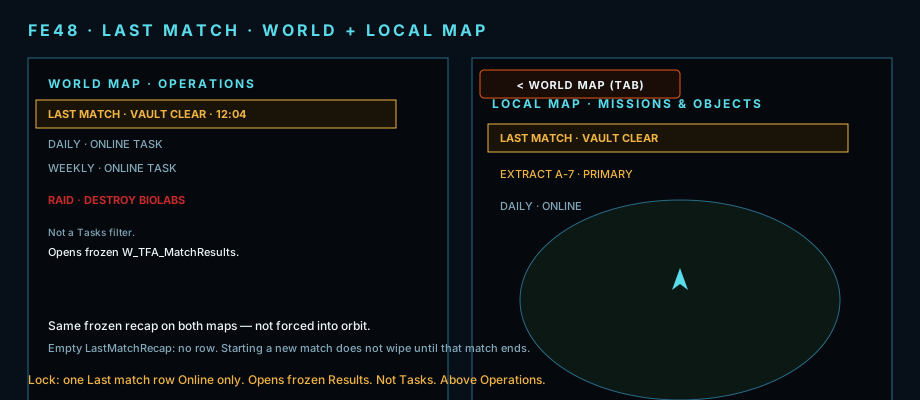
Figure FE48. Illustrated still — Last match row on World Map Operations and Local Map Missions & Objects. Opens frozen W_TFA_MatchResults.
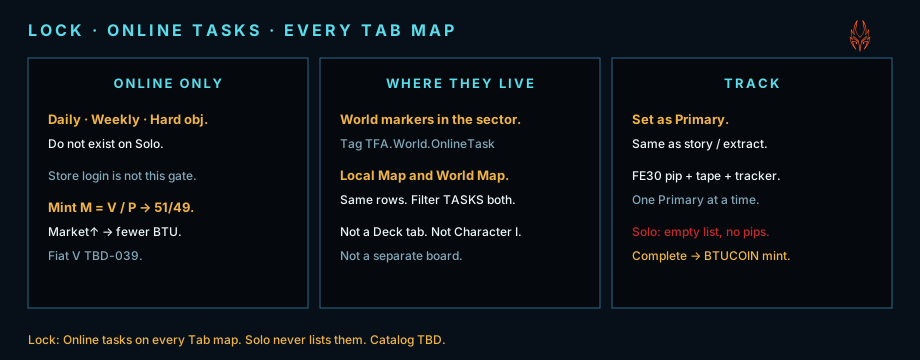
Lock plate. Daily / weekly / hard — Online only. Local Map and World Map. Tasks filter. Set as Primary.
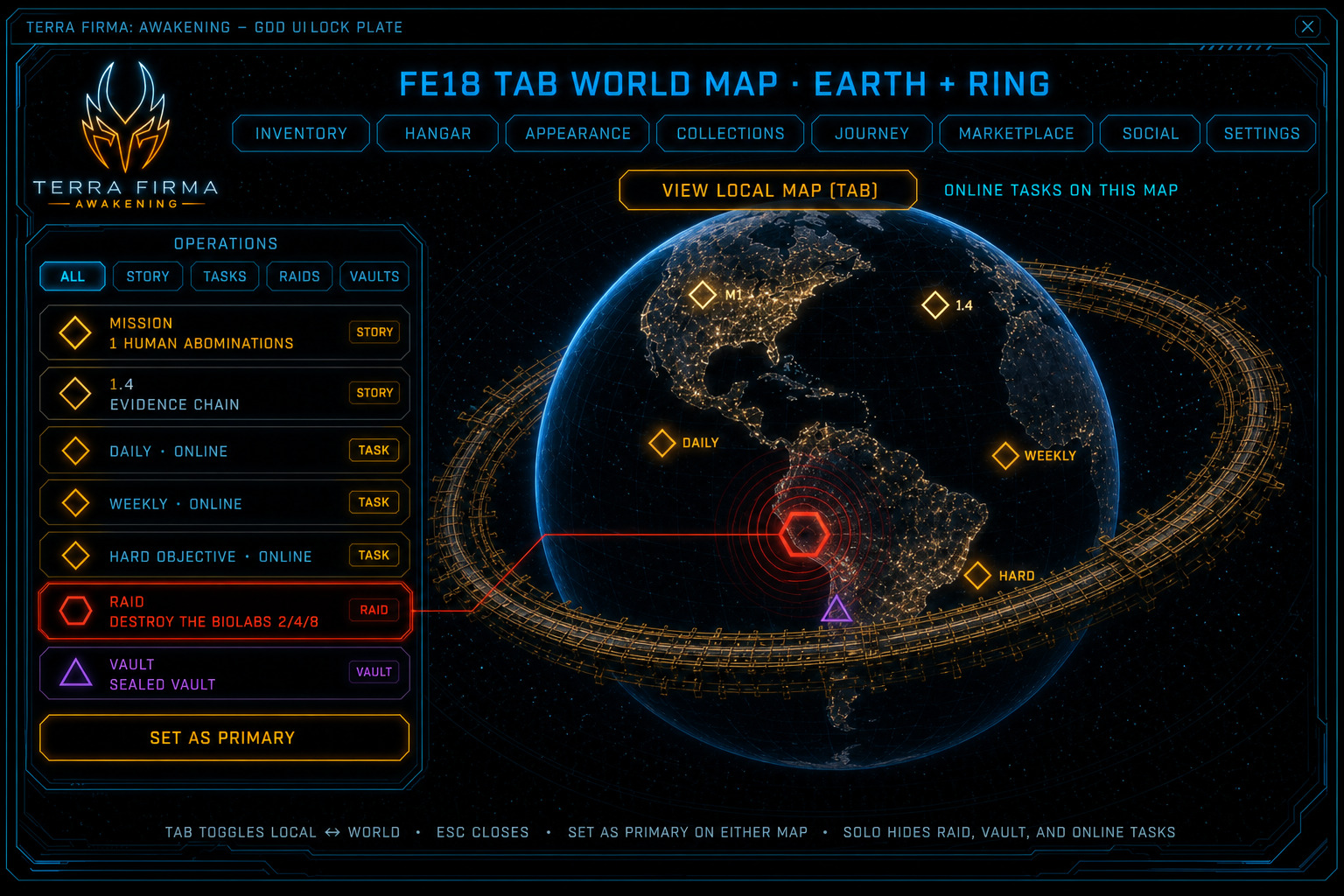
Figure FE18. Illustrated World Map — Daily / Weekly / Hard in Operations. Tasks on this globe. VIEW LOCAL MAP (Tab).
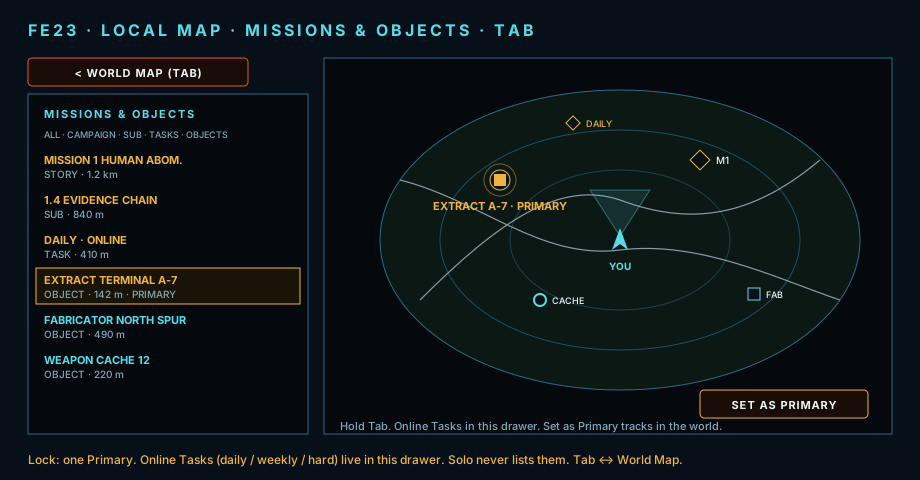
Figure FE23. Local Map lock plate — Missions & Objects, Online Tasks, Set as Primary.
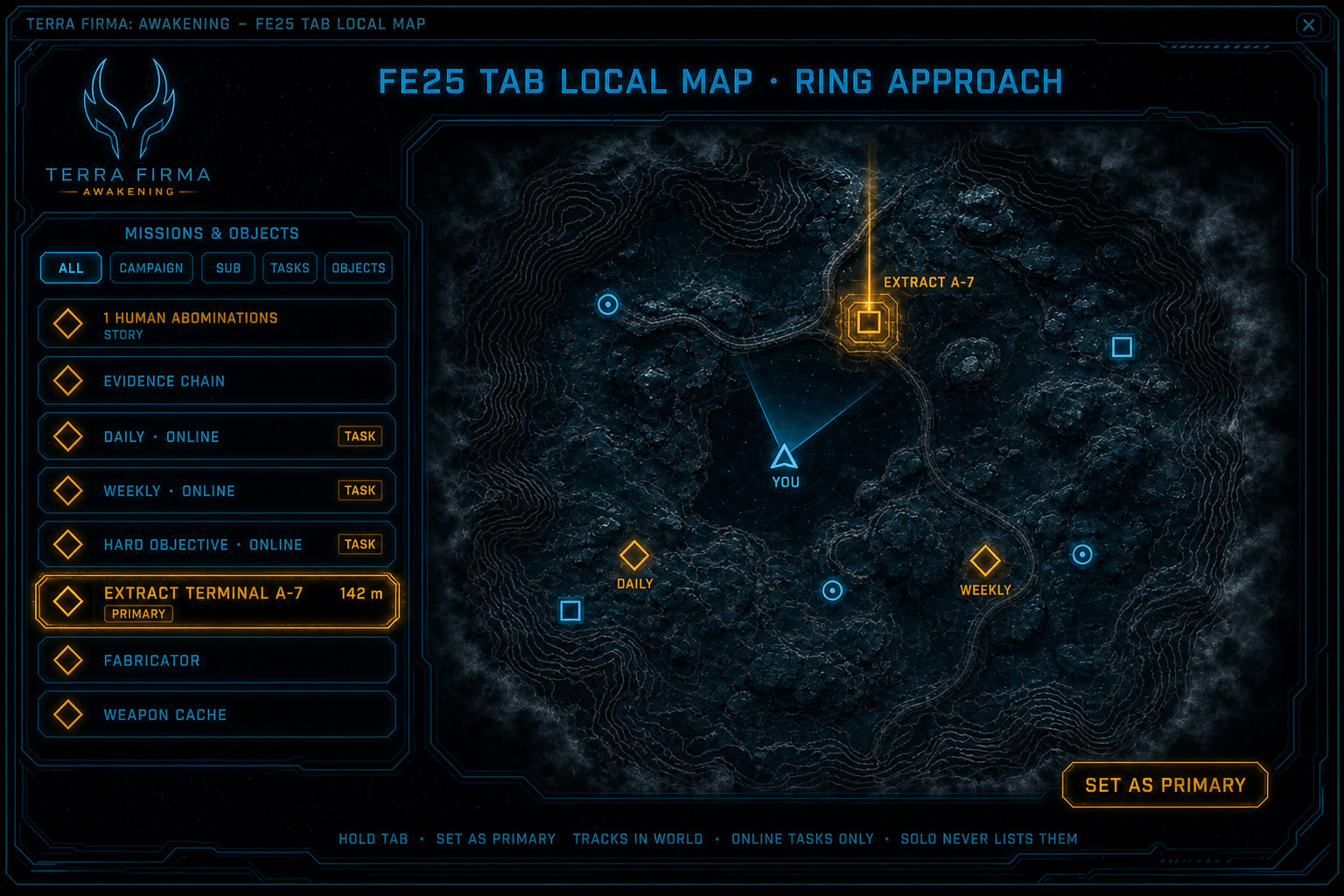
Figure FE25. Illustrated Local Map — Daily / Weekly / Hard in the drawer. Extract A-7 Primary.
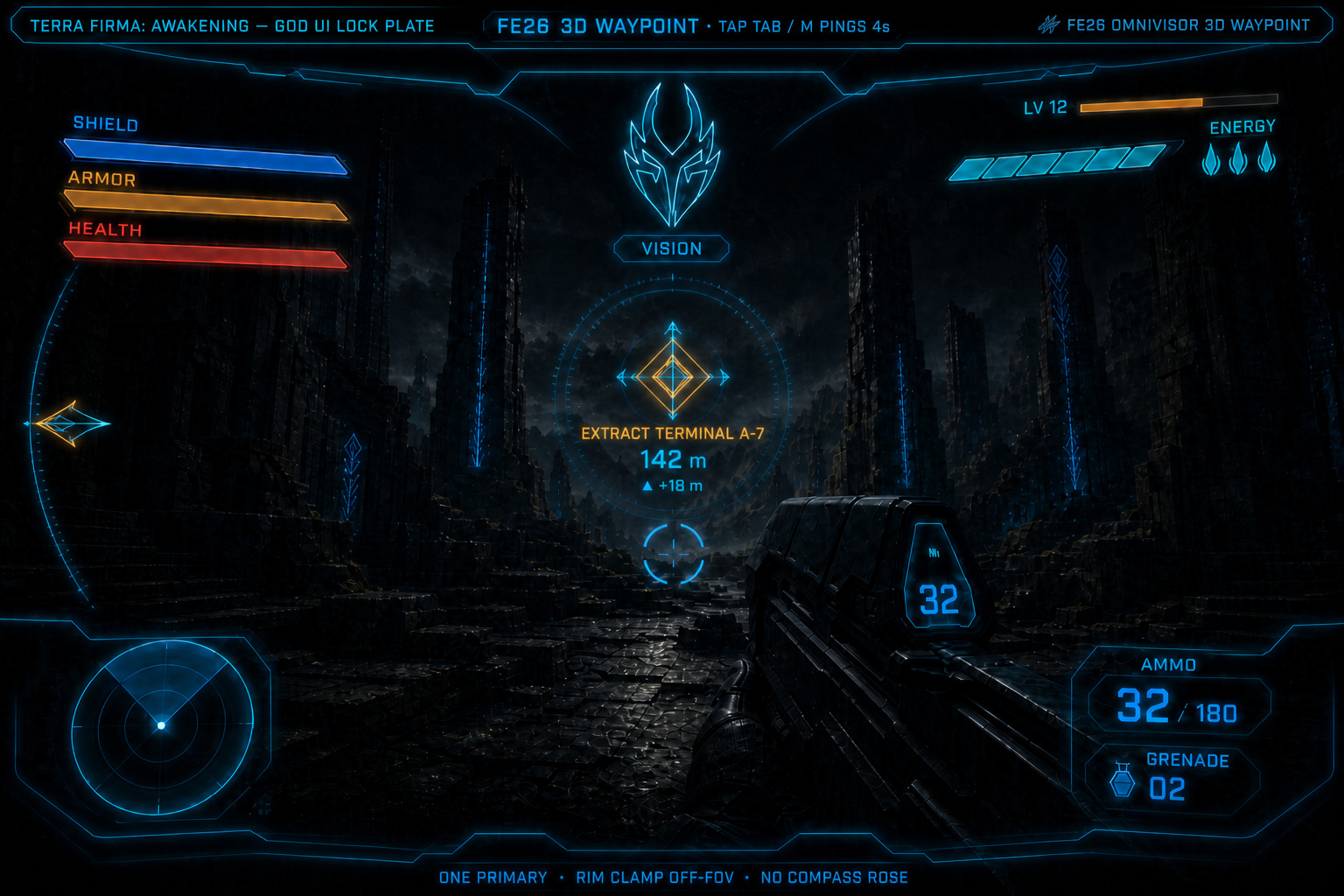
Figure FE26. Anti-example — nameplate on the reticle. Do not ship.
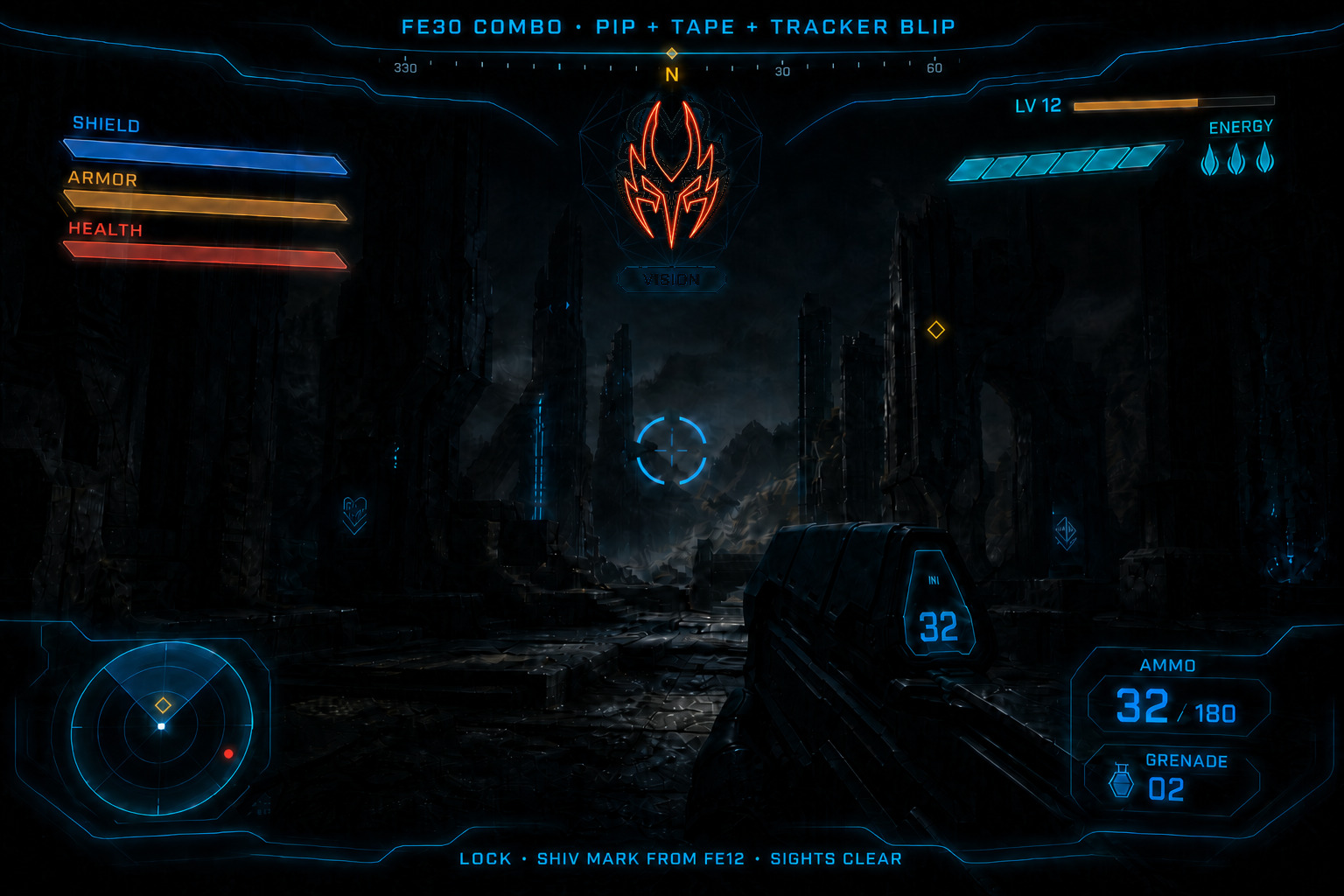
Figure FE30. Primary lock — pip + tape + tracker. Painted Shiv on fire.
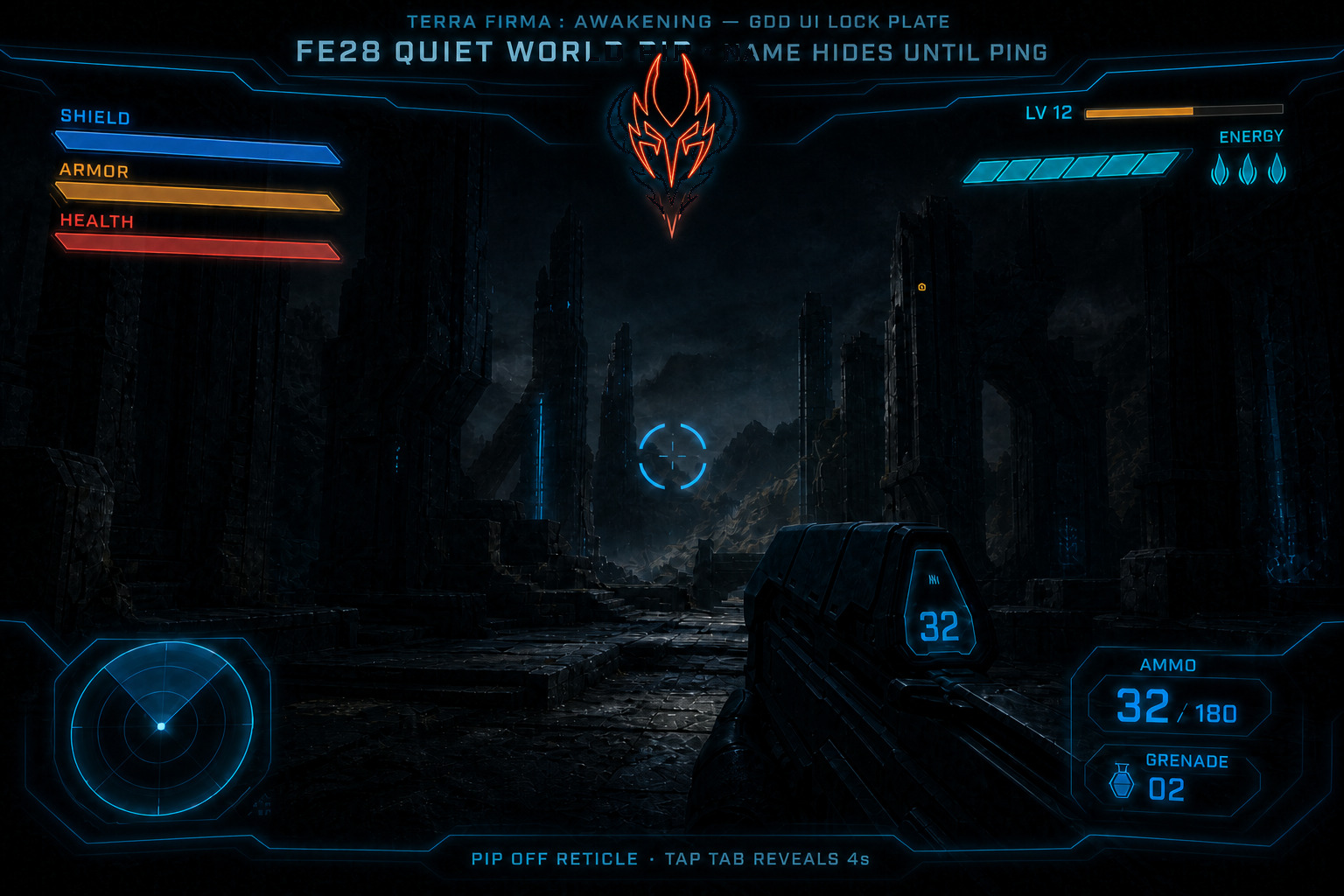
Figure FE28. Secondary option — world pip only.
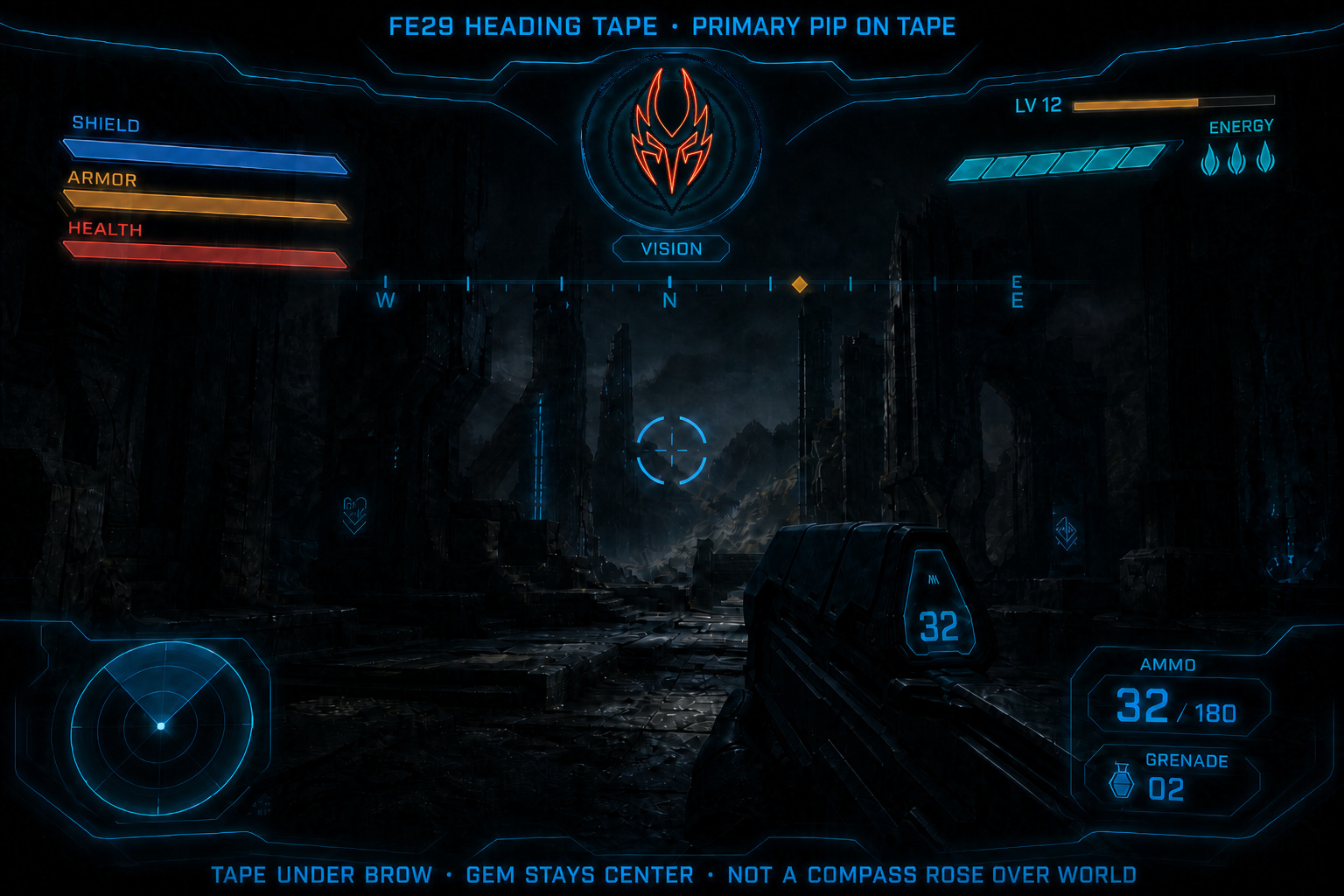
Figure FE29. Secondary option — heading tape as heading cue.
Match History and Career Records
Section titled “Match History and Career Records”Command Deck Journey hosts Career totals, Triumphs, mode aggregates, Ladder leaderboard, and Match History. Command Deck Collections hosts weapon family mastery alongside item bases and Xenobiological Codex. Live and frozen match boards are Online Match Results. Full locks: Online Match History and Command Deck Career Records.
Collections
Section titled “Collections”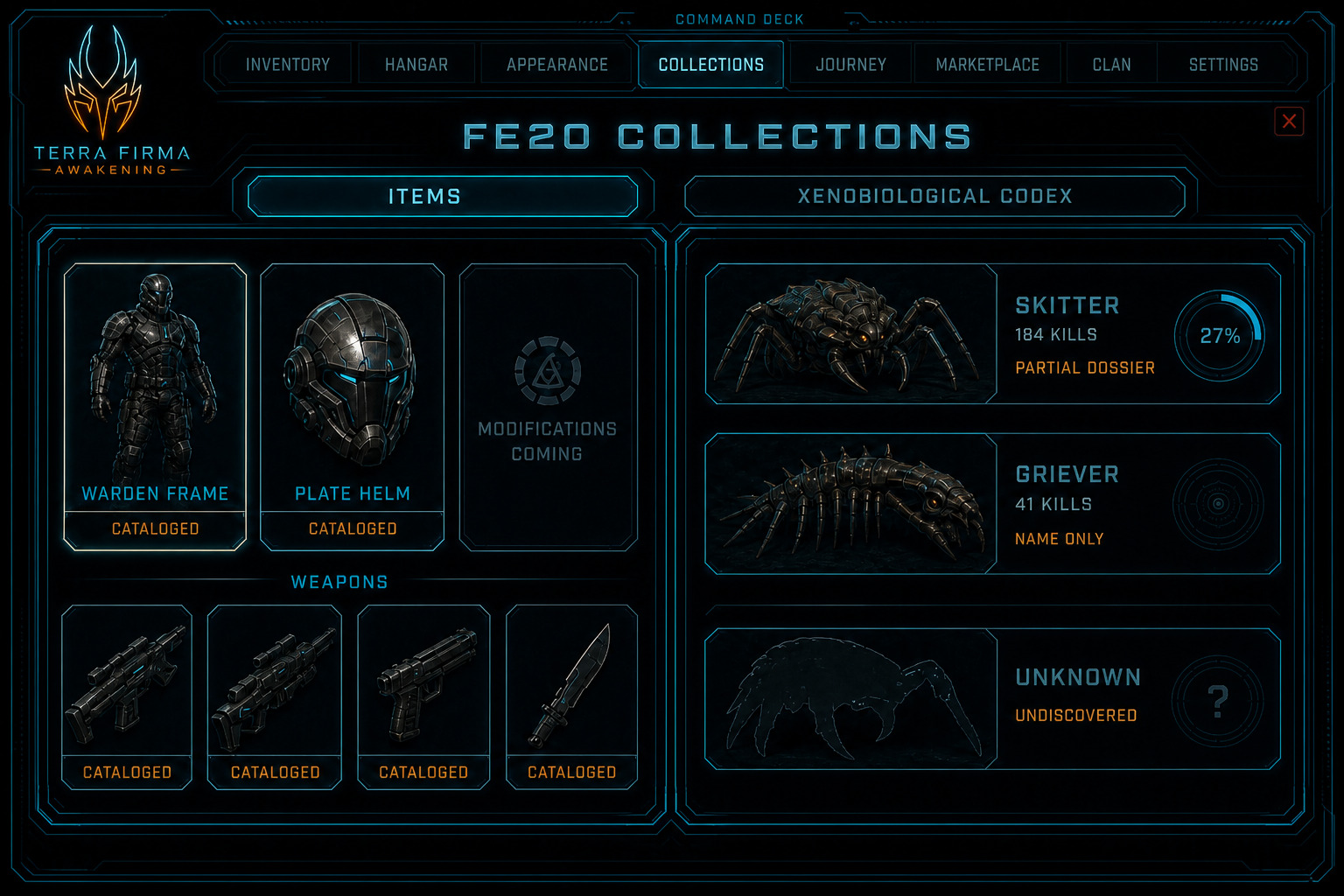
Figure FE20. Illustrated Collections still.
Secure Locker tabs — Marketplace LUMENAR SKU secure_locker_tab_slot (FS-ECO-014). Explicit QoL exception: storage capacity only — never Frames, trees, or combat power. Buy from Storefront or Secure Locker Buy Tab. Six free tabs; paid tabs up to TBD-070; prices TBD-071.