Hybrid Perspective Kinetic Combat Engine
Core mechanical innovation: the Dynamic Camera Engine. Perspective follows the active weapon stance: firearm stance → First-Person (FPP); melee weapon equipped → always Third-Person (TPP). There is no dedicated weapon-swap button — player actions and the active loadout dictate camera and weapon state. This entire system is baseline kit for every operative.
Special Takedown is automatic at Singularity (30 combo), pulls to Third-Person, then Flow resets to Tier 1. Phonons do not retune this engine.
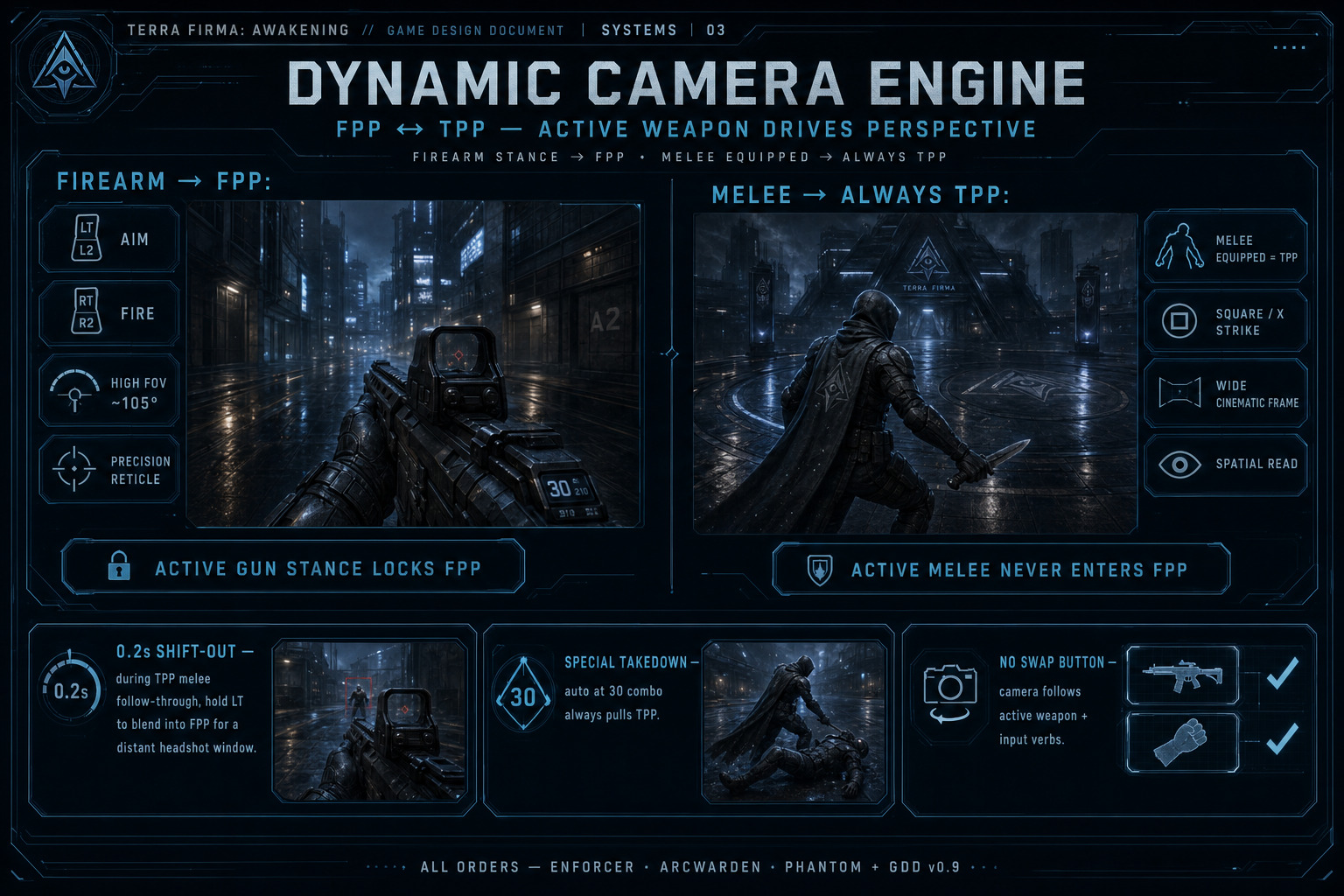
1.1 First-Person (FPP) — Ranged State
- Activation: firearm is the active equipped stance, or the millisecond Left Trigger (Aim) or Right Trigger (Fire) is pressed.
- Camera: locks to tight high-FOV (~105°) first-person.
- Feel: precision / tactical. Reticle fully active for manual head-tracking and skill-shots.
1.2 Third-Person (TPP) — Melee State (always on when melee is equipped)
- Activation: a melee weapon is the active equipped stance (hotkeys 4/5, dual melee, melee+Phys Shield, or gun+melee hybrid with melee commit), or Square / X (Melee Strike) is pressed. Active melee never stays in FPP.
- Camera: pulls back to a wide cinematic third-person view centered on the character.
- Feel: hyper-mobile, acrobatic, spatial. Player reads arena geometry and commits with stick + strike.
Input Infrastructure
Section titled “Input Infrastructure”Inputs have non-overlapping functions that respect both perspective states for high responsiveness during high-speed transitions. Verb table authority: FS-INP-001. Movement detail: Character Movement · FS-MOV-001–005.
- Left Stick / WASD — directional movement / sprint when pushed fully (or hold Sprint).
- Right Stick / mouse — Look only (camera pan / orbit in both perspectives). Mesh montages never drive Look.
- Square / X — Melee Strike (TPP; directional lunge / slash along stick facing). If a melee weapon is already the active equipped stance, camera stays TPP.
- Space / Cross / A — contextual Jump · WILL NOT USE Vault (near tagged ledge — FS-MOV-003) · Wall Run enter (sprint + tagged wall) · wall jump-off (while Wall Running) · directional double jump (air after wall jump-off, along exit direction). One key; context picks the verb. Never Dodge / Slide / Crouch.
- Circle / B / Ctrl (Crouch) — while at sprint speed → feet-first Slide. While activating Dodge (double-tap move) → Roll variant instead of Dodge. Never Wall Run.
- Double-tap Forward / Back / Left / Right — Dodge in that direction (WASD, D-pad, or stick). Hold / press Crouch during that double-tap → Roll. While Wall Running: opposite-side double-tap = wall-to-wall dash if within
MaxWallDashDistance(lab default 6.0 m; continues Wall Run on the far wall and resetsWallRunMaxDurationto full); same-side double-tap does not transfer. Curve / crease while stuck: normals ≤MaxWallTurnDegrees(45°) keep the run; harder turns auto peel. - Space while Wall Running — wall jump-off (exit momentum). Space again in that air window — directional double jump along the leave vector. Mesh flip OK; Look unchanged.
- Wall Run persist — no dedicated hold key. Once entered via Space, continues until exit / fail / timeout / opposite-wall dash transfer. Old dedicated Wall Walk hold (TBD-003) superseded 2026-10-27.
- Vision Mode cycle (D-pad Up / V / dedicated binding) — cycle Normal → Infrared → Heat → Ultraviolet → Sonar / Pulse Echo → Motion Trace → Aether Sight.
- Left Trigger / L2 — Precision Aim (instant FPP; micro time-dilation). HARD LOCK off in dual-weapon stances and while Physical Shield is in-hand. Paper-doll catalog name is Physical Shield; HUD / FS / bible short form is Phys Shield (same slot).
- Right Trigger / R2 — Weapon Discharge (instant FPP; fires equipped firearm).
- Keyboard 1–7 — loadout hotkeys: 1 Wrist Melee; 2/3 guns (Hold 2 = dual guns ↔ gun+Phys Shield); 4/5 melee (Hold 4 = dual melee ↔ melee+Phys Shield); 6/7 gun+melee hybrids; wheel follows mode; 2H active locks duals/hybrids/shield (see Weapon Loadout).
- Tab / M — map / GUI locator chords (see FS-INP-002). I — Character screen. Enter — chat (Online). Esc — session menu (or close chat without send).
Special Takedown has no dedicated button — at 30 combo it auto-fires in TPP, then Flow resets to Tier 1. Combat hotbar (6):
Q·E·Z·X·C·F(Ultimates / skills / ordnance seats — Programming Bibledocs/08· FS-INP-001). GrenadeG/ pad Y (closes TBD-005). Tentacles Active/InactiveT/ R3. Interact-when-prompted sharesE(wins over hotbar 2) · pad D-pad Down. Parkour lab defaults:WallRunMaxDuration= 3.0 s ·MaxWallDashDistance= 6.0 m (DEX/affix scale · Demo Mod Lab › Parkour · FS-MOV-004).
Character Paper Doll — 15 Equipped Slots
Section titled “Character Paper Doll — 15 Equipped Slots”A character has exactly fifteen equipped item slots at once. This paper doll is locked.
Weapons & Melee (6)
- Weapon 1 / Weapon 2 / Weapon 3 / Weapon 4 — guns and melee only.
- Wrist Melee — equipable Razors/Blades slot (hotkey 1); does not pair with Physical Shields.
- Physical Shield — dedicated off-hand slot; pairs with 1H gun or 1H melee via Hold 2 / Hold 4 cycles.
- Default stance is always single-wield. Dual guns, dual melee, gun+shield, melee+shield, and gun+melee hybrids are opt-in. Two-handed melee and Heavy Guns use a two-hand stance and lock duals/hybrids/Phys Shield while active.
- Physical Shield alone = no-op. Only equipped loadout pieces are available in combat.
Keyboard hotkeys 1–7 (Hold 2 / Hold 4 cycles; 6/7 hybrids; wheel follows mode) are defined under Weapon Loadout below.
Armor (6)
- Helm
- Chest (body armor / chassis)
- Gloves
- Belt
- Boots
- Energy Shield — Barrier / Aegis / field-coil gear only. Always-on ES packages. Never accepts Physical Shields. Remains equipped in every stance.
Jewelry (3)
- Ring 1
- Ring 2
- Amulet
Total = 15 (Weapon×4 + Wrist Melee×1 + Physical Shield×1 + Armor×6 + Jewelry×3). Charms/chips remain inventory power (not paper-doll slots). Artifact sockets appear only on Unique and Apex items — Common, Uncommon, Augmented, and Rare cannot socket Artifacts.
- All four weapon slots + Wrist Melee + Physical Shield can feed matching active Sets under ASBP if those Unique / Apex items match. Legendary never.
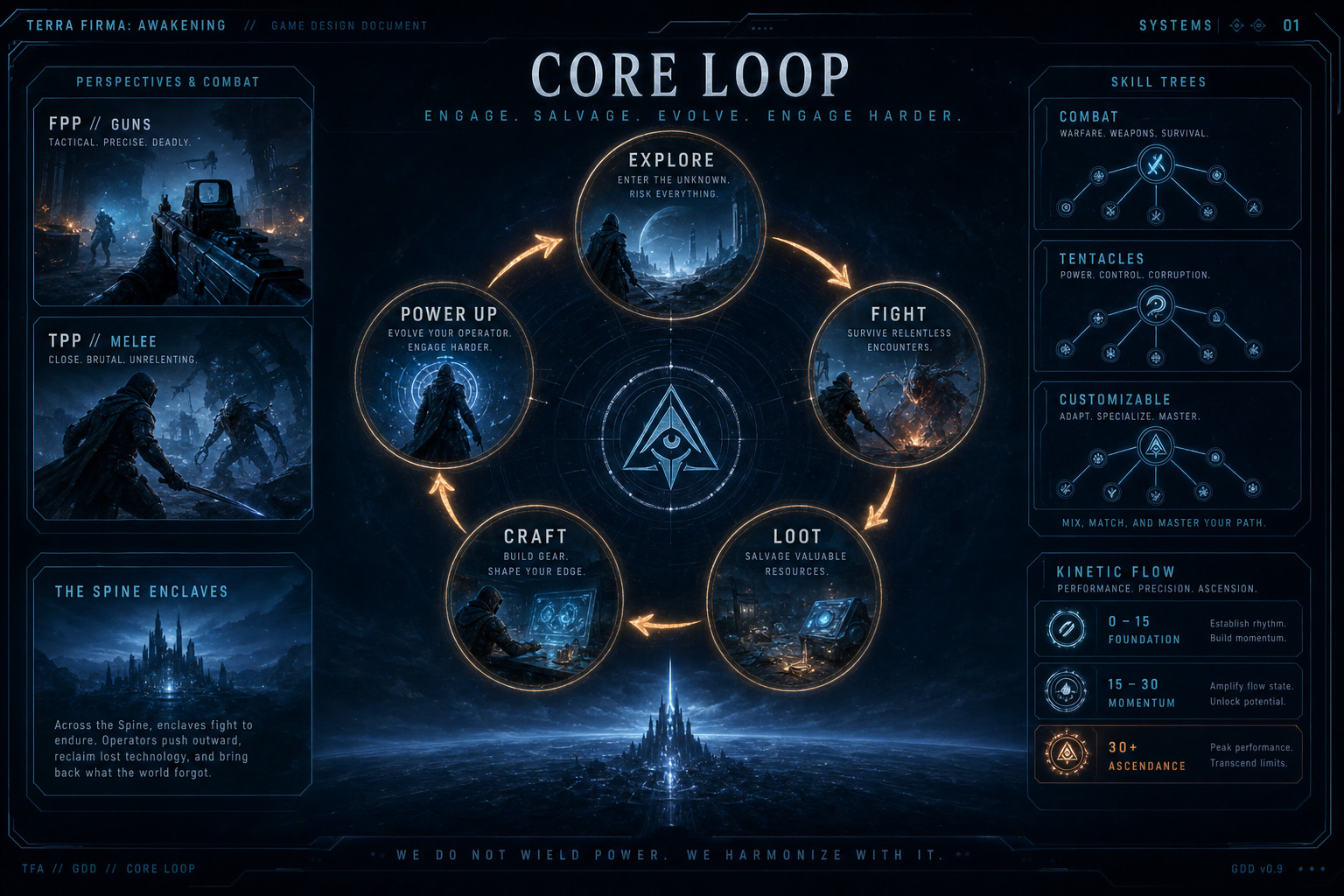
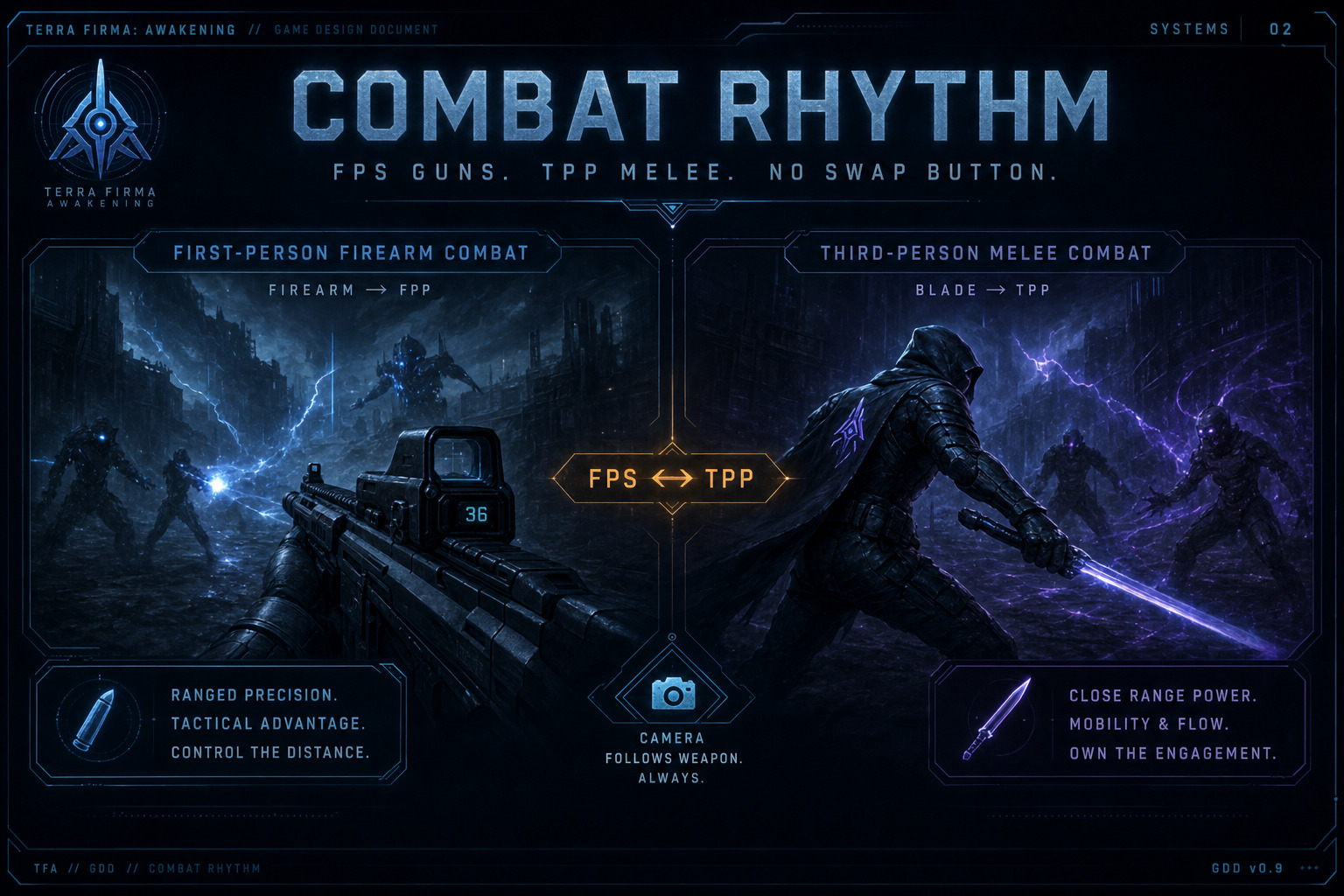
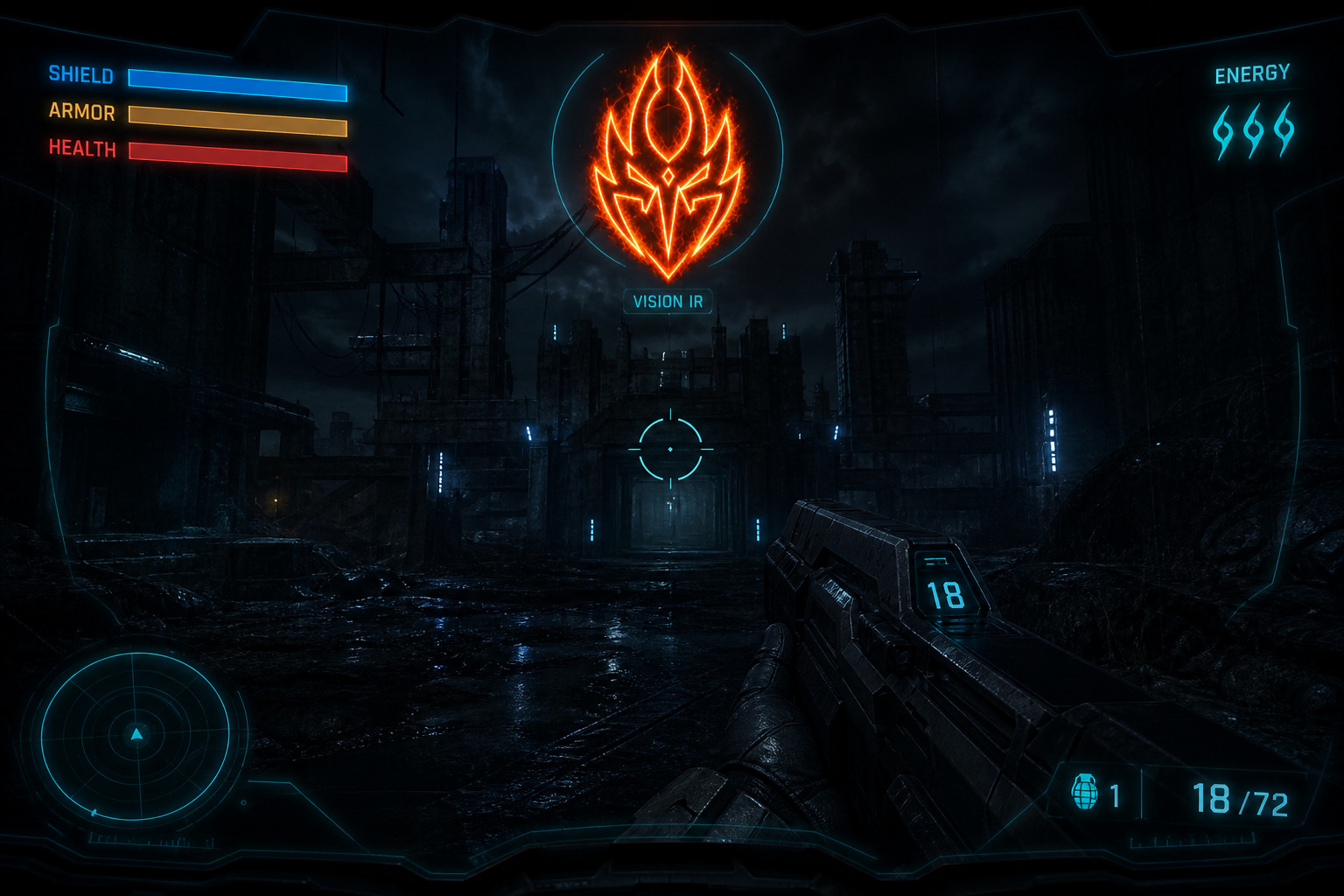
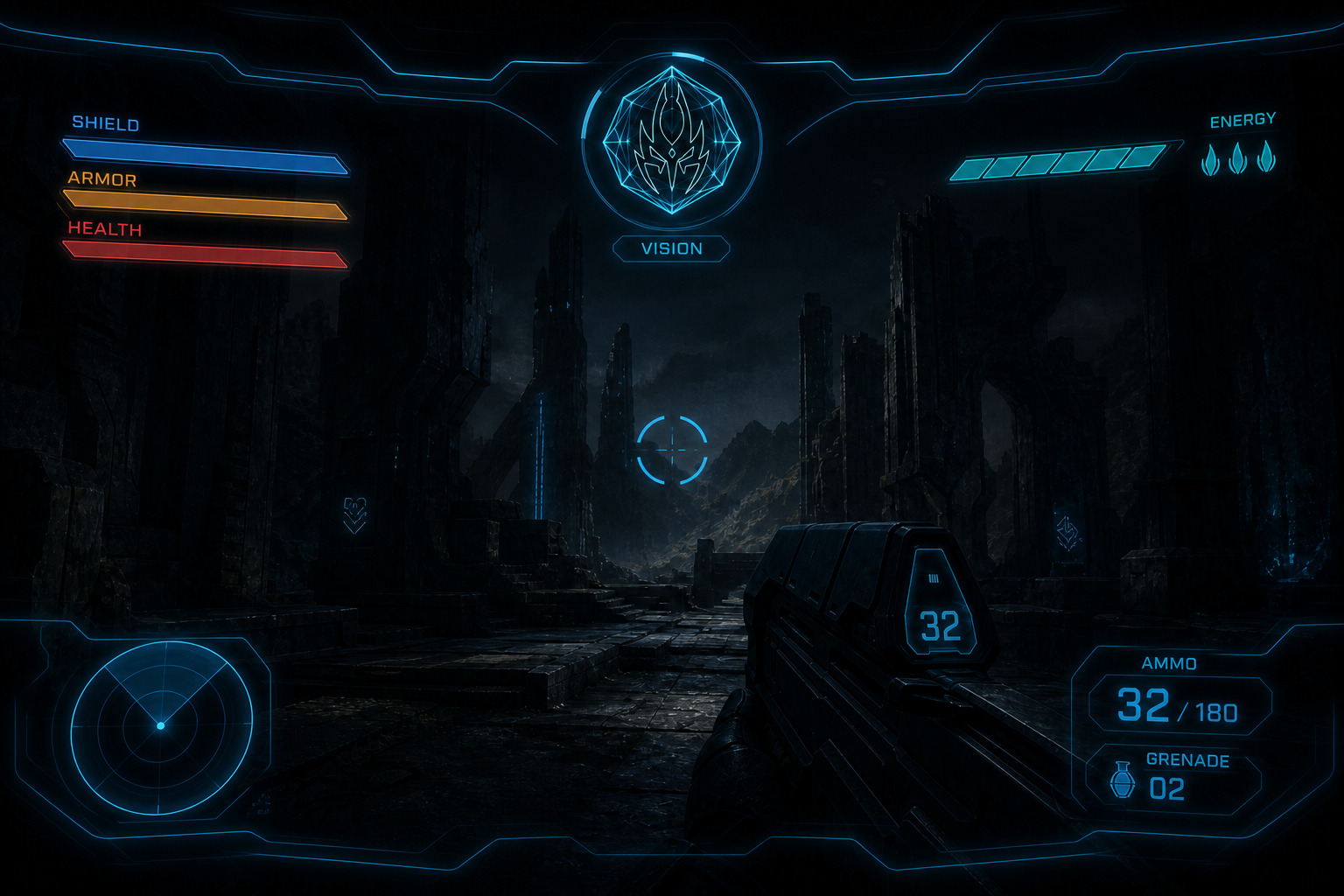
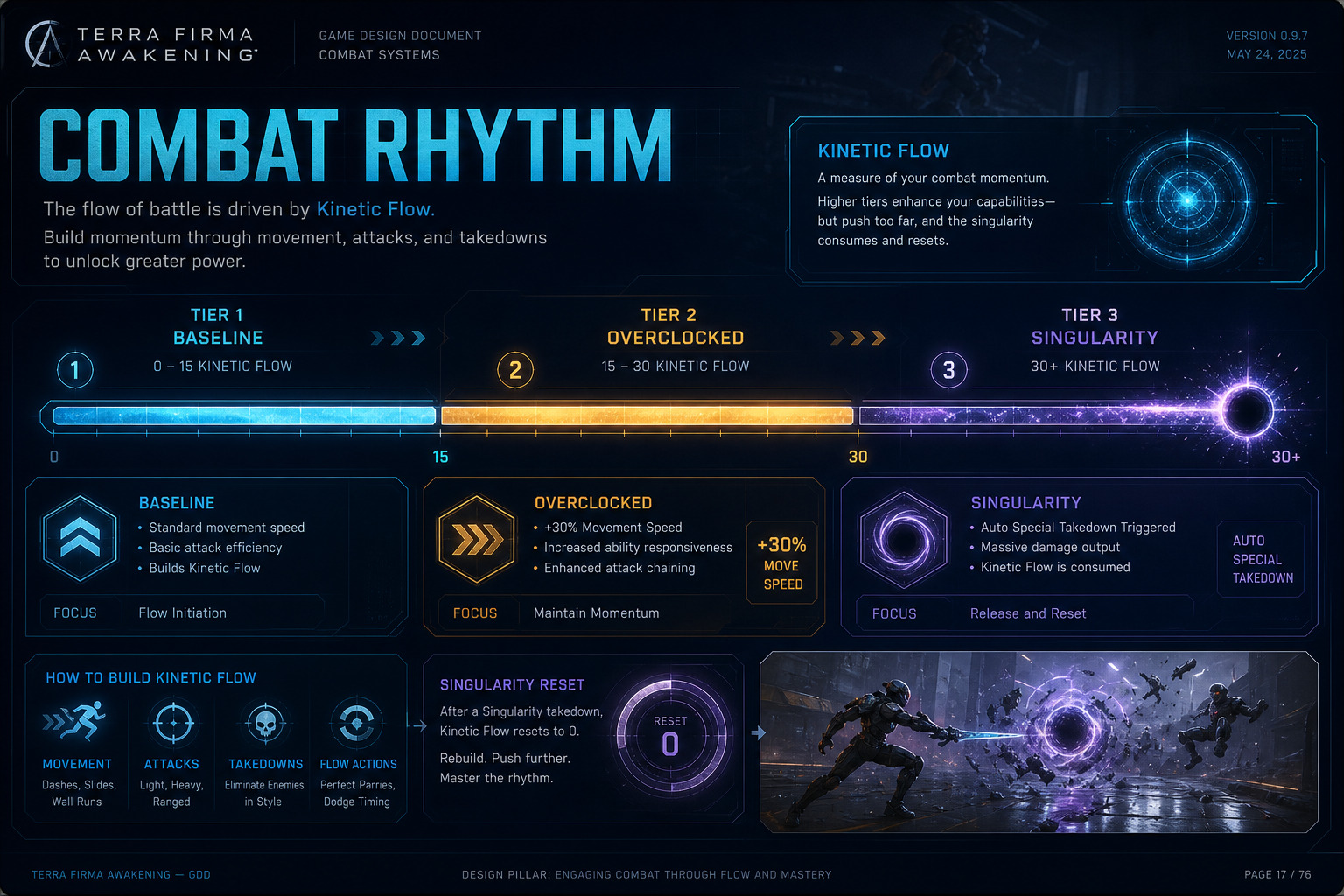
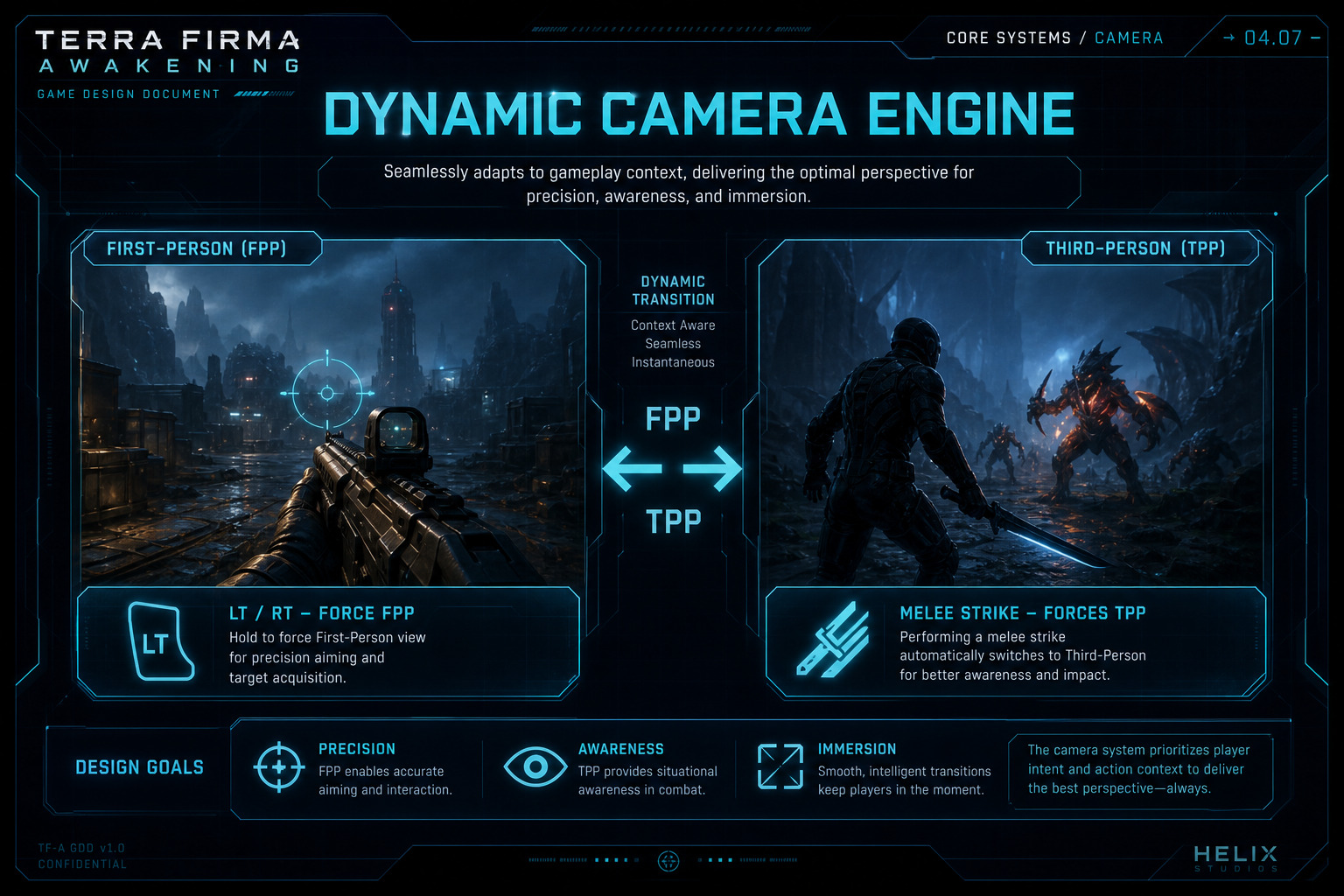
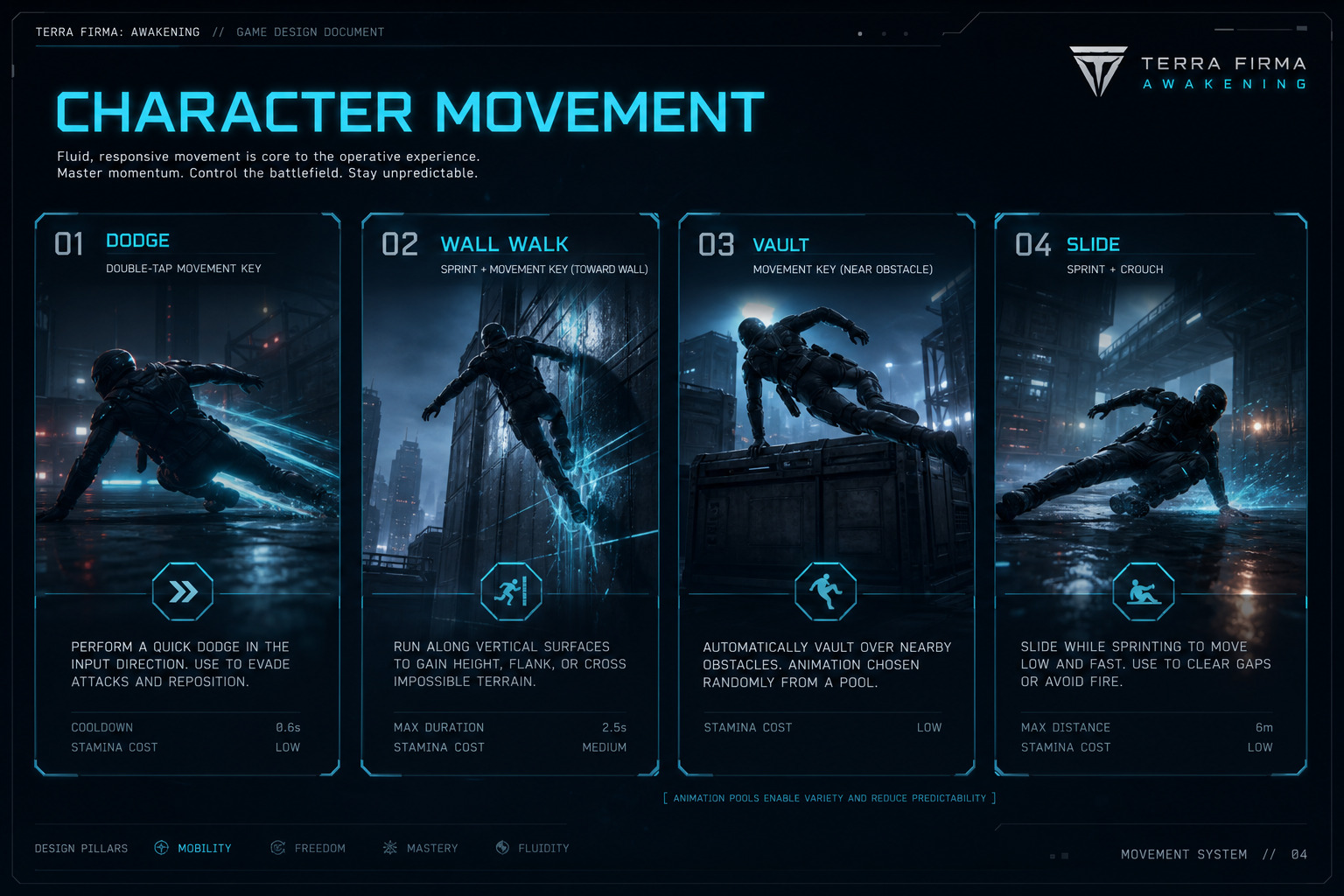
Figure — Dodge (double-tap); Wall Run (Space enter, continuous); WILL NOT USE Vault (was Space near ledge — FS-MOV-003); Slide (sprint + Crouch); opposite double-tap wall-to-wall dash.
Combat Engine Contract (All Volumes)
Section titled “Combat Engine Contract (All Volumes)”Terra Firma: Awakening uses one Hybrid Perspective Kinetic Combat Engine across all modes. It is always active — it does not require Phonon Shards, Phonon Chords, or any socket setup. Full detail lives in volume 02 and the master GDD.
Perspective (Always On)
- Firearm input (LT aim / RT fire) → instant First-Person (FPP).
- Melee Strike (Square/X) → instant Third-Person (TPP).
- No dedicated weapon-swap button. Aiming, FOV (~105° FPP), Shift-Out (0.2 s), and camera blends are fixed by the engine.
- Loadout: four weapon slots — any mix of guns, melee, and Physical Shields. Hotkeys 1–5: 1 Wrist Razors/Claws; 2 first weapon; 3 second weapon; hold 2 = dual 1H guns; 4 first melee; 5 second melee; hold 4 = dual 1H melee or 1H melee+Physical Shield. Physical Shield alone = no-op. HARD LOCK: Physical Shields pair only with single-handed melee — never with guns. Dual-wield guns: no ADS + slower reload. Energy Shield paper-doll slot is Barrier / Aegis gear only (always on) — Physical Shields never use that slot. Full paper doll is 15 equipped slots (Weapon 1–4, Helm, Chest, Gloves, Wrist Razors/Claws, Belt, Boots, Energy Shield, Ring 1, Ring 2, Amulet). Active stance follows hotkeys 1–5 (plus holds) and input verbs (LT/RT firearm → FPP; Melee Strike → TPP).
- Artifact sockets: Unique / Apex only; one Artifact per eligible paper-doll item. Sets are Unique / Apex item pieces (Legendary never); Active Sets under ASBP; thresholds 2/3/4/5/6-piece. No companions. No class-specific item slots.
- Melee spacing is player-driven (stick facing, lunge range, dodge (Vault WILL NOT USE)) — no auto target pull.
Defense & Mobility
- Defense is Dodge / Vault / Slide / Wall Run, spacing, shields/resists, and lethal offense.
- Double-tap Forward / Back / Left / Right (WASD, D-pad, or stick flick) → Dodge in that direction.
- Wall Run requires sprint speed + Space / Cross / A on a tagged wall (continues without hold). Opposite double-tap dashes to a far wall within MaxWallDashDistance. Slide requires sprint speed + Crouch.
- Wall Run and Slide are baseline locomotion (Vault WILL NOT USE — FS-MOV-003) — always on with the combat engine.
- Four Vision Modes (baseline): Normal Light, Infrared, Heat, Ultraviolet — cycle with Vision binding. Also used as counters for invisibility types and bad-weather visibility.
Special Takedown (Automatic)
- Reach Kinetic Flow Tier 3 Singularity at 30 combo → Special Takedown fires automatically on the qualifying kill — localized AoE devastation. No dedicated takedown button.
- Camera: Special Takedown always pulls to Third-Person (TPP) for the sequence, even if the trigger kill was in FPP.
- Tier 3 ends with the takedown: when the Special Takedown resolves, Flow resets to Tier 1 (combo 0). Build the meter again to re-enter Overclocked / Singularity.
- After the takedown, camera control returns to the next input perspective (LT/RT → FPP, Melee → TPP).
- Always part of the engine; never gated by Phonon Shards or Phonon Chords.
Kinetic Flow Kill Thresholds (Tripled)
- Tier 1 — 0 to 15 combo: baseline.
- Tier 2 — 15 to 30 combo: Overclocked (+30% move speed).
- Tier 3 — 30+ combo: Singularity → auto Special Takedown (TPP) → reset to Tier 1.
- Fail (whiff / empty air / take damage) also resets Flow to 0 / Tier 1 with 0.5 s stagger.
Phonons Are Separate (ARPG Item Power Only)
- Phonon Shards / Chords are socket crafting for classic ARPG packages (ED, skills, auras, mobility armor, etc.) on guns, melee, and armor.
- Phonons never enable, disable, or replace the Hybrid Perspective engine.
- Phonons never change aiming, FOV, Shift-Out, Aim Assist baseline, or automatic Special Takedown behavior — but they do empower gun ARPG stats when socketed.
- Gems/Jewels = damage channels & utility. Phonons = classic ARPG socket power language.
See vol. 02 for input map, TTK, Aim Assist programming, and scenario. See vol. 05 for gun frames + gunfeel. See vol. 08 for Phonon catalogs.
Combat Rhythm (Summary)
Section titled “Combat Rhythm (Summary)”- No dedicated weapon-swap button — firearm input forces FPP; blade input forces TPP.
- FPS: frame archetypes across firearm families (including Heavy Guns 2-Handed); ADS; ammo; shields.
- Melee: Melee Drive + full melee families (blades, glaives, axes, …) — player-driven spacing.
- Movement: double-tap Dodge; Space = contextual Wall Run enter (Vault WILL NOT USE); opposite double-tap wall-to-wall dash; Slide (sprint + Crouch).
- Vision Modes: Normal Light, Infrared, Heat, Ultraviolet, Sonar / Pulse Echo, Motion Trace, Aether Sight — invisibility, occlusion, and bad-weather counters.
- Special Takedown at 30-combo Singularity pulls to TPP, then resets Flow to Tier 1.
- Paper doll: 14 slots; Weapon 1–4 accept any mix of guns and melee; all 1H dual-wield; hotkeys 1–5; Shield slot = Energy Shield gear (sci-fi); Wrist Razors/Blades is a dedicated equipped slot; Artifact sockets on Unique / Apex only (not Legendary, not Common / Uncommon / Augmented / Rare); Active Sets under ASBP=6 (FS-ITM-004).
- Glaives live in the Melee Armory (vol. 06); melee still rolls chance-to-hit unless a skill says otherwise.
Input Infrastructure
Section titled “Input Infrastructure”Inputs have non-overlapping functions that respect both perspective states for high responsiveness during high-speed transitions.
- Left Stick — directional movement / sprint when pushed fully (or hold Sprint).
- Right Stick — manual camera pan / orbit (both perspectives).
- Square / X — Melee Strike (instant TPP; directional lunge / slash along stick facing).
- Space / Cross / A — contextual Jump · Vault (near tagged ledge) · Wall Run enter (sprint + tagged wall). Continues without hold. Opposite double-tap while Wall Running = wall-to-wall dash ≤ MaxWallDashDistance.
- Circle / B (Crouch) — while at sprint speed → Slide.
- Space / Cross / A — Wall Run enter (sprint + tagged wall); continues without hold; opposite double-tap = wall-to-wall dash ≤ MaxWallDashDistance.
- Vision Mode cycle (D-pad Up / V / dedicated binding) — cycle Normal → Infrared → Heat → Ultraviolet → Sonar / Pulse Echo → Motion Trace → Aether Sight.
- Double-tap Forward / Back / Left / Right — Dodge in that direction (WASD, D-pad, or stick).
- Left Trigger / L2 — Precision Aim (instant FPP; micro time-dilation). Disabled while dual-wielding two weapons (no ADS in dual-weapon stance).
- Right Trigger / R2 — Weapon Discharge (instant FPP; fires equipped firearm).
- Keyboard 1–5 — loadout hotkeys: 1 Wrist Razors/Claws; 2 first weapon; 3 second weapon; hold 2 = dual 1H guns; 4 first melee; 5 second melee; hold 4 = dual 1H melee or melee+Physical Shield (Physical Shield alone / gun+Physical Shield = no-op; see Weapon Loadout).
Special Takedown has no dedicated button — at 30 combo it auto-fires in TPP, then Flow resets to Tier 1. Wall Walk dedicated hold superseded — Space enters Wall Run; MaxWallDashDistance TBD.
Stat Bridge (Gun + Melee)
Section titled “Stat Bridge (Gun + Melee)”- Strength — melee ED + equip reqs for heavy blades/mauls/armor.
- Dexterity — AR, block, claw/heavy-spear/bow-analogue damage, handling.
- Vitality — life pool (still the dump for survival).
- Energy — spendable pool for skills, tentacles, caster sticks (Energy attribute scales max Energy).
- Gun mastery stats — handling, reload, flinch resist — sit beside classic attrs.
- Phonon sockets add ARPG item power — they do not replace attributes or combat verbs.